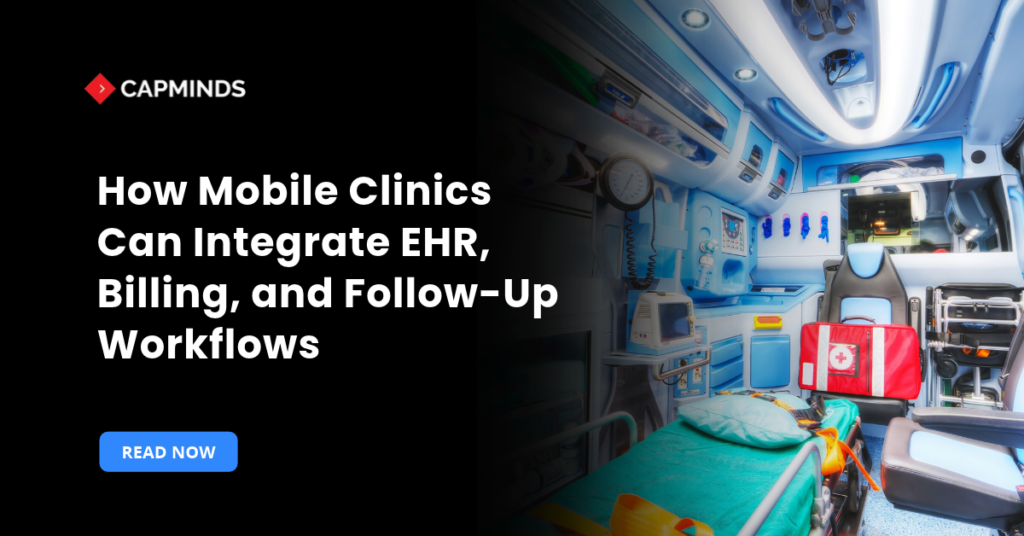
How Mobile Clinics Can Integrate EHR, Billing, and Follow-Up Workflows
A mobile clinic leaves a community, but its work continues. Notes need signatures, claims need review, and patients need results or referrals. When applications operate separately, staff must reconstruct these handoffs after the visit.
Mobile clinics can integrate EHR, billing, and follow-up workflows by maintaining accurate, consistent patient records, defining transfer triggers, assigning responsibility, and verifying completion. Existing systems may support these connections without replacement.
Mobile Health Map’s 2025 landscape report estimates that more than 3,600 U.S. mobile clinics deliver approximately 10 million visits annually.
Integrate EHR, Billing, and Patient Follow-Ups in Mobile Clinics
1. Map the Encounter and Assign Ownership
Start with one common visit type. Trace registration, Clinical documentation, billing review, results, and follow-up. For each handoff, identify the source system, required information, receiving team, and completion check.
| Handoff | Information transferred | Completion check |
| Registration to EHR | Identity, demographics, coverage, contact preferences | Correct chart selected |
| EHR to billing | Encounter, services, diagnoses, provider, location | Billing readiness reviewed |
| Laboratory to EHR | Patient, order, specimen, result | Result matched and assigned |
| Care plan to follow-up | Action, owner, priority, due date | Outcome documented |
Define which system maintains each data element and how corrections reach connected applications. Use stable encounter identifiers so multiple visits remain distinguishable.
Assign someone to resolve failed transfers.
Document the trigger for each transfer: registration approval, note authentication, order placement, or result receipt. Set a clear review interval for exceptions and a backup contact when the usual owner is unavailable.
2. Standardize Registration Across Mobile Locations
Search existing records before creating another chart. Apply a documented matching process and send uncertain matches to trained staff. Avoid merging records based on one demographic field.
Capture verified demographics, available identifiers, relevant coverage, consent records, language preferences, and safe contact instructions. Record the actual service location separately from the organization’s administrative address.
For patients without identification or a fixed address, follow an approved registration process. Define how temporary identifiers are reconciled without losing encounters.
Before departure, confirm how patients can receive results and where follow-up care is accessible. Shared phones, changing numbers, and limited portal access require appropriate alternatives.
3. Establish Downtime and Synchronization Procedures
Choose an operating approach that reflects connectivity at service locations:
- Cloud EHR with backup connectivity: Verify failover, power needs, and unavailable functions.
- Supported offline functionality: Confirm accessible records, protected storage, synchronization, and conflict handling.
- Approved downtime documentation: Define secure capture, later entry, review, and reconciliation.
Offline charting does not establish that eligibility checks, laboratory transmission, or e-prescribing also work offline. Verify each external function with its vendor.
After reconnection, reconcile captured encounters with destination records. Check for missing orders, duplicate charges, unmatched patients, and absent follow-up tasks.
Keep unresolved conflicts visible. Replaying failed transactions must not create duplicate encounters, charges, or tasks.
4. Connect Documentation to Billing Review
Define when an encounter becomes ready for billing review. Depending on the workflow, release may require authenticated documentation, charge review, or correction of missing information.
Before submission, verify:
- Documentation supports recorded services.
- Diagnoses, procedures, and charges are reviewed.
- Patient, coverage, and provider details are correct.
- Service dates and locations are accurate.
- Applicable authorization, enrollment, and payer requirements are addressed.
CMS identifies place-of-service POS code 15 as Mobile Unit. Select the appropriate code using the actual setting and applicable billing rules; participation in a mobile program alone does not determine coding.
Applicable electronic claims use X12 837. X12 835 carries electronic remittance advice explaining payments and adjustments. Where electronic funds transfer uses the Automated Clearing House network, associated trace information helps match funds to remittance.
Separate billing exceptions:
- Rejected claims: Correct errors preventing processing.
- Denied claims: Review adjudication and determine correction or appeal.
- Posting discrepancies: Reconcile remittance, funds received, and account balances.
Free-care and grant-funded programs still need encounter reconciliation and reporting, even when no claim is submitted.
5. Follow Results and Referrals Through Completion
Create tasks from documented care plans, orders, and referrals. Assign an owner, backup coverage, priority, due date, and closure criteria.
Track laboratory orders through collection where applicable, result receipt, clinician review, patient communication, and subsequent action. Maintain an outstanding-order list and investigate missing tests or results beyond clinic-defined timeframes. Critical findings need clinician-approved escalation procedures rather than routine reminder queues. The SAFER Guides offer recommended practices for result communication and follow-up.
Sending a referral does not complete it. Track receipt, scheduling, attendance, and consultation reports where applicable. Record refusals, access barriers, and unsuccessful outreach separately from completed care.
For example, a completed visit releases reviewed encounter details to billing, creates a test-tracking task, and assigns return-visit coordination. Each action remains linked to the encounter until completion or a documented exception.
6. Select Interfaces Around Actual Workflows
Start with existing EHR features and supported native connections. Use custom interfaces or middleware when required information, triggers, or exception handling remain unsupported. Confirm fees, support ownership, and whether connections can read, create, or update required records.
HL7 v2 may support registration, orders, and results. FHIR interoperability may support authorized clinical data exchange. Capabilities depend on both systems; neither standard guarantees complete workflow integration.
Agree on identifiers, required fields, terminology, location mappings, correction rules, acknowledgments, retries, and escalation.
Ask vendors to demonstrate normal processing and failure recovery using your encounter workflow. Verify that receiving systems match, store, and route information correctly. A successful transmission alone does not prove completion.
Budget for vendor interface charges, configuration, testing, staff training, monitoring, and ongoing support. Confirm access to usable data exports before committing to a connection. For hospital-affiliated, federally qualified health center, or mixed-funding programs, validate the billing and reporting workflow with the responsible specialists before configuration.
7. Protect Devices and Patient Information
HHS permits mobile access to cloud-based electronic protected health information with appropriate safeguards and applicable business associate agreements. Technology selection alone does not establish HIPAA compliance.
Use risk analysis to determine controls for individual accounts, appropriate access, authentication, encryption, device inventory, secure configuration, and audit records.
Document lost-device response, access removal, incident ownership, and backup recovery. Protect locally stored data and define retention and removal procedures.
Assess messaging and integration vendors’ handling of patient information. Confirm contact details, communication preferences, and applicable permissions before enabling reminders.
8. Pilot, Reconcile, and Measure Before Expanding
Pilot one unit and service. Test duplicate patients, incomplete encounters, outages, delayed results, repeated transactions, and unavailable staff.
Before expansion, reconcile every pilot encounter to expected downstream records. Confirm duplicate prevention, recovery without lost encounters, and urgent-task delivery to backup staff.
Monitor:
- Billing turnaround: Encounter completion to billing readiness.
- Initial rejection rate: Rejected first-submission claims divided by first-submission claims sent to the same defined clearinghouse or payer stage during the reporting period.
- Overdue follow-up: Open overdue tasks divided by open tasks.
- Synchronization backlog: Items awaiting confirmed destination processing.
- Result-review time: Result availability to documented clinical review.
Assign owners and review regularly. Set targets using the clinic’s baseline, then expand when agreed acceptance criteria are met.
Connect Your Mobile Clinic Workflows With CapMinds
CapMinds supports EHR customization, healthcare interoperability, and workflow integration. Bring your EHR, billing platform, and one recurring problem with registration, billing, or follow-up to identify practical connection options and priorities.