Lab Integration in OpenEMR: Challenges and Solutions
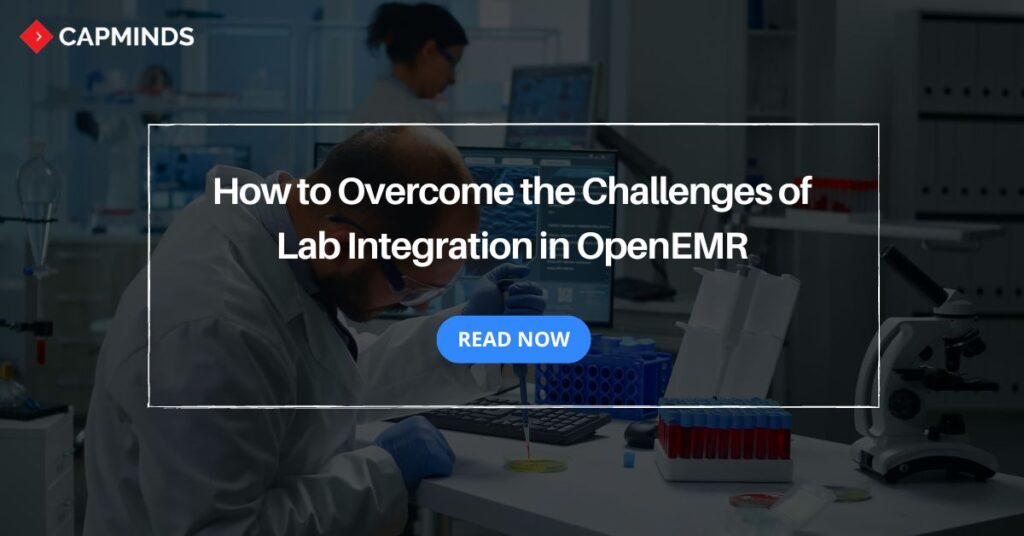
Integrating the laboratory system into OpenEMR will ensure seamless lab ordering and result reporting. However, integrating laboratory services with OpenEMR may have significant challenges.
From ensuring data accuracy and seamless information exchange to maintaining compliance with regulations, lab integration demands a well-structured approach.
This blog post shares the common challenges associated with lab integration in OpenEMR and How to solve them.
What Is EMR Lab Integration in OpenEMR?
Lab Integration in OpenEMR is a process of Integrating OpenEMR (Electronic medical records) and external laboratory information system (LIS). This integration allows you to lab orders and results.
The patient lab results will seamlessly flow between LIS and OpenEMR. In this way, you can eliminate the need for manually entering data or a paper-based process.
Moreover, you can easily access up-to-date lab results directly within OpenEMR. Integrating the lab system in OpenEMR enables efficient clinical decision-making and improved patient care coordination. Additionally, it benefits you in many ways:
- Easy sharing of information between different systems.
- Automatically keeps track of lab orders and results.
- Eliminates mistakes from manually entering data.
- Helps provide better and safer care for patients.
- Allows providers to work more productively and efficiently.
EMR Lab Integration Challenges in OpenEMR
However, integrating LIS in OpenEMR benefits in many ways, but it is also associated with potential challenges. Here are the 5 challenges of Integrating laboratory information systems and OpenEMR.
1. Resolving Data Format and HL7 Compatibility Issues
Each lab system and equipment use various data formats to represent lab orders and results. It is challenging to compatibility between these formats and OpenEMR data structure.
Even though healthcare standards like HL7 rise as a solution to promote interoperability, the implementation may differ. It leads to potential data mapping and transformation complexities.
Solution:
- Implement data formation and mapping rules to convert incoming lab data format to match OpenEMR data structure.
- Utilize an Integration engine that can handle data format conversions and mapping.
2. Integrating Multiple Laboratory Information Systems (LIS)
Your practice is often required to interface OpenEMR with multiple Laboratory Information Systems. Each LIS may have unique data structures, communication protocols, and integration requirements.
Accommodating these variations across multiple systems can be complex and time-consuming. This is particularly challenging when dealing with legacy LIS platforms.
Solution:
- Develop a module integration approach that allows for flexible connection with various LIS systems.
- Utilize APIs provided by LIS vendors to simplify the interfacing process.
3. Managing data security and privacy concerns
Lab data often contains sensitive patient information. This information includes personal information and health-related details. So, it requires robust security measures to protect it from unauthorized access, data breaches, or misuse.
Compliance with regulations like HIPAA (Health Insurance Portability and Accountability Act) and privacy law is crucial during the integration process.
Solution:
- Implement robust access controls, encryption, and auditing measures.
- Ensure compliance with HIPAA and other data privacy laws.
- Train staff on data security and enforce strict policies.
4. Best Practices for Accurate Lab Result Mapping
Accurately mapping from the LIS to corresponding fields in OpenEMR is essential. The information such as lab test codes, results values, and units of measurement should be accurately mapped.
During this process, mismatched or incorrect data can lead to errors in interpretation and inaccurate reporting or analysis of lab data within OpenEMR.
Solution:
- Implement validation checks and error handling mechanisms to identify and resolve mapping issues.
- Regularly review and update data mappings.
- Conduct thorough testing and user acceptance processes to verify mapping accuracy.
5. Managing High-Volume Laboratory Data Efficiently
As the number of data volumes increases, the data flow into OpenEMR becomes substantial. Efficient data management, processing capabilities, and system scalability are necessary to handle large volumes of data without compromising performance.
Solution:
- Optimize OpenEMR database and infrastructure for data processing and storage.
- Implement data caching, compression, and load balancing.
- Consider using cloud computing to handle spikes in data traffic.
Related: Custom Reporting Made Simple: An Example Guide to Building Reports in OpenEMR
Benefits of Seamless Lab Integration for Healthcare Organizations
Seamless lab integration brings major benefits to healthcare providers. By automating test ordering and result reporting, organizations cut down on manual work and reduce errors.
For example, one source notes that integrated lab systems “provide benefits such as long-term cost-savings, reduced errors, and enhanced quality of services”.
In practice, this means clinical staff spend less time on paperwork and more on patient care. Key advantages include:
- Automated data exchange replaces manual entry, which eliminates transcription mistakes. This reduces the need for costly re-testing and saves staff time.
- Real-time interfaces eliminate “lags” between systems. Once a lab order is placed, results can arrive in the EHR within minutes, greatly shortening test turnaround.
- With immediate access to lab data in OpenEMR, clinicians have the latest information for diagnosis and treatment. Integrated data flow “ensures patient data flows smoothly across…labs,” reducing duplicate tests and improving outcomes. Together, these benefits help organizations optimize resources, avoid errors, and deliver more timely, coordinated patient care.
Preparing for Successful OpenEMR Lab Integration
1. Assessing Current EMR and Laboratory Workflows
- You need to conduct a thorough assessment of your existing OpenEMR system, lab processes, and data flow.
- This assessment should identify inefficiencies in your current workflow.
- Also, identify any technical limitations that may impact the integration process.
2. Selecting LIS Vendors and Laboratory Partners
- Make a list of all laboratory information systems and lab vendors that you want to integrate with OpenEMR.
- This information will help you to understand the scope of the integration and prioritize integration based on needs and requirements.
- It will also aid in identifying potential challenges to certain LIS platforms.
3. Gathering Technical Requirements for Lab Integration
- Collect and review all documentation from both OpenEMR and Lab vendors.
- This documentation should include data specifications, interface requirements, communication protocols, and any relevant standards.
- Having a clear and well-defined requirement will guide you through the entire integration process.
Implementing an EMR Lab Interface in OpenEMR
1. Configuring OpenEMR for lab integration
- The OpenEMR needs to be properly configured to enable lab integration.
- This process may involve setting up an interface, configuring data mapping rules, and transformations.
- Proper configuration is essential for seamless integration and accurate lab data representation within OpenEMR.
2. Setting up interfaces and data mappings
- Establish a secure and reliable interface between OpenEMR and LIS platforms.
- This may involve implementing industry standards protocols like HL7.
- Map the incoming lab data, including test codes, result values, and units, to the appropriate fields in OpenEMR.
- This will ensure accuracy and data representation consistency across the entire system.
3. Testing and validating the integration
- Thoroughly test the Lab integration process with sample data.
- Validate the accuracy of data mapping, system performance, and compatibility with existing workflow.
- Test for edge cases, error handling, and potential data integrity issues.
- Conduct user acceptance testing to ensure the integrated system meets the needs and requirements before deployment.
Related: Integration of OpenEMR and Live Time Tracker: Easing Patient Lives with Timely Care
How Lab Integration Improves Clinical Workflow Efficiency
Linking OpenEMR directly to lab systems streamlines day-to-day workflows. Instead of handling paper or faxes, nurses and doctors interact with a single system.
- For example, placing an order in OpenEMR automatically generates an HL7 ORM (order) message sent to the lab, and the lab returns an ORU (result) message back.
- This “handshake” means staff never have to leave the EMR or perform duplicate data entry.
- The integrated process also enables real-time alerts: as soon as critical lab results arrive, the system can notify the provider immediately.
In one account, automating lab orders “significantly reduces the time required for diagnosis” because providers receive updated results without delay.
- OpenEMR’s lab interface can send HL7 ORM messages to labs and receive ORU results back. This automation frees staff from manual entry.
- Results flow directly into the patient chart and trigger alerts for abnormal values, so clinicians can act immediately on critical lab findings.
- Every ordered test is tracked in the EMR, from collection through processing to result delivery. This prevents lost or misplaced orders and makes follow-up easy.
- With orders and results fully automated, providers get “ready-to-use” lab data quickly. Studies report that embedded lab integration lets clinicians make faster, more informed decisions than manual workflows.
Overall, integrated lab orders and results eliminate bottlenecks, reduce clerical work, and let care teams focus on patients instead of paperwork.
CapMinds’s OpenEMR Customization and Integration Solution for Medical Practice
CapMinds OpenEMR service consigns clinicians with the best features and ways to integrate. It makes your workflows more efficient and filtered.
The integration with third-party tools or other modules will allow you to combine the ability of patient record management with conceptual and concurrent reminders. This enhances the process of decision-making and improves patient care and quality.
- At CapMinds, OpenEMR custom solutions are developed with much curation and accuracy to match the special practice needs.
- It will be low-cost, and the perfect budget solution for your practice’s long-term future.
- CapMinds OpenEMR prioritizes secure data management & ensures compliance with industry regulations, offering healthcare providers peace of mind.
Get the best technologies and HIPAA-compliant and efficient OpenEMR that can be tailored to fit your practice from CapMinds.
Our OpenEMR services facilitate a Modern User Interface (UI), customization, production support & training. Also facilitates billing, report & specialty enhancements, clearing house integrations, e-prescription, cloud, and more.
“Get the most experienced, proven, and perfect professional support for your OpenEMR”
FAQs
What is the difference between EMR lab integration and LIS integration?
“EMR lab integration” typically refers to how the EHR communicates with labs, whereas “LIS integration” involves the Laboratory Information System itself. In other words, EMR integration is the interface on the clinician’s side, while LIS integration is on the lab’s side. A lab-focused source explains that an LIS is “designed for laboratory workflows, focusing on sample tracking, test result processing, and instrument integration,” while an EMR “stores complete patient medical records and clinical documentation”.
Thus, EMR lab integration means ordering and receiving lab results within the patient chart, whereas LIS integration ensures the lab’s own software can send and receive that data.
In practice, integrating a lab’s LIS with OpenEMR eliminates manual transcriptions by syncing order/result data between the two systems.
How does HL7 support laboratory integration in OpenEMR?
HL7 provides the standards that let OpenEMR and a lab talk to each other. OpenEMR supports HL7 v2 interfaces for labs: when a provider orders a test, OpenEMR sends an HL7 ORM message to the lab, and the lab returns an HL7 ORU message with the results.
OpenEMR’s built-in HL7 parser automatically interprets incoming ORU messages and inserts the test values into the patient’s chart. In short, HL7 turns lab data into a common format.
As one interoperability guide notes, connecting OpenEMR to a lab often means “ADT and ORU communications over HL7,” so results transmit instantly. By following HL7 standards, OpenEMR and labs can exchange orders/results seamlessly without manual intervention.
What are the benefits of seamless lab order management in healthcare?
Seamless lab order management lets providers place and track tests electronically with minimal overhead. For example, Lifepoint Informatics highlights that physicians can “electronically order lab tests and receive lab results from a secure web-based hub that can be accessed from their EMR system”.
In practice, this means orders go straight from the doctor’s computer to the lab, and results flow back into the EMR, all without paper. Key benefits include: automatic tracking of every order through to the result, which reduces lost or duplicated orders; real-time alerts for STAT or abnormal results, enhancing patient safety; and quick access to historical orders/results, giving clinicians a complete longitudinal view.
Altogether, integrated order management ensures that “tests are processed accurately, and results are delivered promptly,” minimizing delays and raising the overall quality of lab services.
What challenges can occur during EMR lab interface implementation?
Several issues can arise when implementing a lab interface. One common problem is inconsistent HL7 messaging: different labs may use different data fields or formats. Without careful mapping or middleware, this can lead to dropped or garbled data. Mismatched codes or patient identifiers are another risk – if the lab’s patient ID doesn’t match OpenEMR’s, results could go to the wrong chart. Experts advise using a master patient index and standardized coding to avoid this.
Performance can also be an issue: high transaction volumes or delays in processing can slow down result delivery, so the interface must be scalable and event-driven. Finally, because lab data is highly sensitive, robust security is essential to prevent breaches. By anticipating these challenges and planning accordingly, organizations can implement reliable EMR-lab interfaces.
How can healthcare organizations improve laboratory data accuracy through integration?
Integration itself is a powerful quality control. When labs use standardized codes and automated workflows, data accuracy improves dramatically. For instance, HL7 messages should carry LOINC codes for each test so that OpenEMR “understands data correctly without misinterpretation”. Incoming HL7 messages can be validated and normalized by interface engines before being accepted into OpenEMR. These engines check message format, units, and value ranges to catch errors early.
An interface might automatically flag an out-of-range result or a missing field for human review. Ensuring a single patient identifier across systems also prevents results from being attributed to the wrong person. In practice, this means lab data arrives in the EHR fully coded, checked, and mapped – far more reliably than handwritten results. Studies show that such standardization and automation can raise the correctness and completeness of lab data to nearly 100%, vastly improving clinical confidence in the data.