How to Deploy OpenEMR for Rural Healthcare and Mobile Clinics
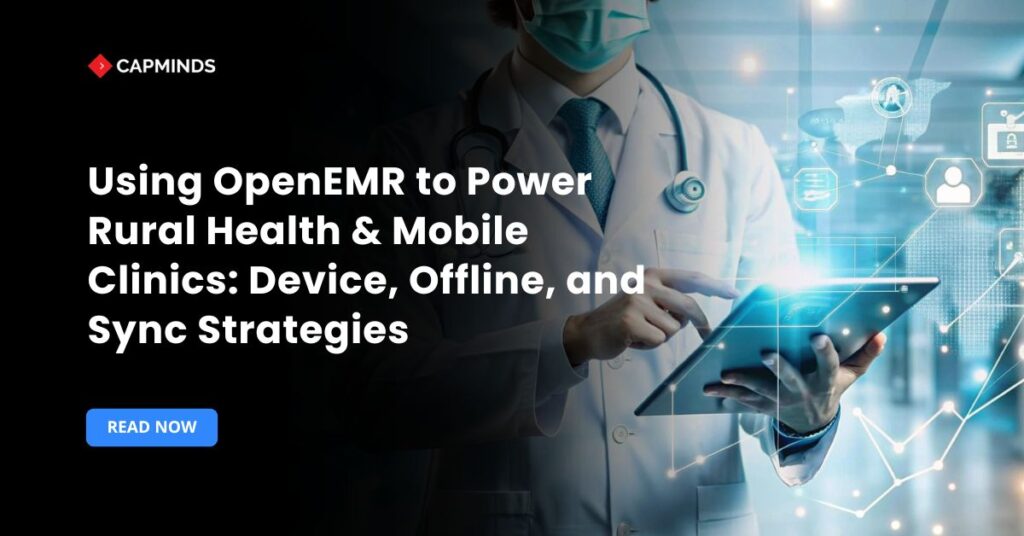
Rural and mobile clinics frequently serve regions with inadequate internet connectivity and infrastructure, yet they remain vital access points for basic care. OpenEMR, a free and open-source EHR extensively accepted throughout the world, offers flexible deployment options, making it appropriate for these contexts.
In this blog, you’ll learn the technical methods and practical concerns for implementing OpenEMR in offline-first settings, including devices, offline processes, synchronization systems, and security.
Why OpenEMR is Ideal for Rural Clinics and Mobile Healthcare Teams?
- Cost-effective and open source, it eliminates license costs, allowing resource-constrained clinics to shift revenues into services.
- Global adoption, deployed in approximately 15,000 hospitals, including rural settings, with over 90 million patient records.
- Customizable and modular, adaptable to local languages, procedures, and regulatory frameworks.
- Community support has active forums and vendor partnerships that offer installation and continuing help.
Device Requirements for OpenEMR in Rural and Mobile Clinics
1. How to Install OpenEMR for Offline Use
Fully offline deployment entails installing OpenEMR on a laptop or tablet running a standard LAMP/WAMP stack. In Windows setups, XAMPP packages make it simple to install XAMPP, unzip OpenEMR into htdocs, start Apache and MySQL, and then run the installer at http://localhost/openemr.
Platform Guidelines
- Windows – XAMPP is great for modifying the timezone settings, protecting the installation, and running Apache/MySQL as a service.
- Linux/macOS – Use native LAMP installations or XAMPP/MAMP on Mac, drag the OpenEMR folder into htdocs, edit php.ini, and complete the configuration at http://localhost/openemr.
- Rural suitability – Devices function completely offline, healthcare staff may register patients, record vitals, prescribe, and document interactions without connectivity, synchronizing later when online.
2. Recommended Devices for OpenEMR Mobile Clinics
Laptop Requirements – Choose long-lasting versions with SSDs, at least 8 GB of RAM, and dual-core CPUs to provide consistent offline performance and occasional synchronization.
Tablet strategy – Prefer Windows tablets such as Surface Pro, and Samsung Galaxy Tab Windows Edition that run a full desktop operating system and OpenEMR natively. Stylus-enabled gadgets like the Galaxy Note and Surface increase usability.
Avoid Android/iOS – Native OpenEMR apps are not available; tablets can only function as lightweight clients that connect to a local server on the LAN.
Single-device Mode – Each field worker carries a device that runs the whole EMR offline. To exchange patient data locally, designate one device as a hotspot/server and allow others to connect over Wi-Fi.
3. Preparing OpenEMR for Offline Operations and Data Synchronization
Trained people can conduct all clinical workflows, like registration, vitals, and diagnostics, without the Internet. The Internet is only required for updates, external integrations, and synchronization.
OpenEMR Synchronization Methods for Rural Healthcare
- Manual export/import performs database backups using mysqldump on field devices and imports them into a central server when online.
- Use MySQL replication between the field laptops and the server with unique keys to prevent record conflicts.
Security Best Practices for Offline OpenEMR Deployments
- Regularly deploy security fixes to the operating system, PHP, and OpenEMR.
- Set up daily backups, disk encryption like BitLocker/LUKS, and strict password policies.
- Offline environments should still do frequent checks and cleanup after synchronization times.
Related: From Installation to Integration: A Complete Guide to Using OpenEMR in 2025
Offline Clinical Workflows in OpenEMR
- Local Usage Model – During outreach, health staff record demographics, vital signs, prescriptions, and notes on tablets or computers. Data is kept in a local database, allowing complete offline diagnostics.
- Client/server on Local Network – In group deployments with numerous devices, one device hosts OpenEMR while others connect via LAN/WiFi; all continue working offline and sync later.
- Feature Replication – While a full replication layer is not included in the core OpenEMR, dynamic community plugins and designs have allowed excellent offline caching.
OpenEMR Data Synchronization and Database Replication Strategies
1. Master-Master Replication for OpenEMR Offline
Configure a laptop and server using MySQL master-master replication so updates are synchronized instantly when reconnected, ideal for one device, but auto-increment keys can conflict if replicated over numerous computers.
2. UUID-Based Synchronization for Multi-Device Deployments
Replace auto-increment IDs with UUIDs across all tables to eliminate primary key conflicts when combining data from different offline devices, which has been successfully utilized in Peace Corps deployments.
3. Automated OpenEMR Synchronization Using SymmetricDS
SymmetricDS can asynchronously replicate tables between devices and servers, managing low-bandwidth interruptions, batching, filtering, and dispute resolution.
4. Manual OpenEMR Data Migration and Conflict Resolution
Consolidate offline data centrally using mysqldump and manual imports, with audit tables (audit_master, audit_details) for tracking, verification, and dispute resolution.
HIPAA-Compliant Security for Offline OpenEMR Deployments
Mobile deployments include different challenges, such as lost devices, insecure networks, and local storage, which raise concerns about patient safety.
Best Practices
- Encrypt your local databases and storage. For any data synchronization, use SSL/TLS.
- User-level logins with strict password rules. Prefer 2FA/MFA when possible.
- Audit tables like audit_master and audit_details to monitor activities and trace syncs.
- Schedule periodic local backups to off-device storage; enterprise backups are handled by the central server.
- Use disk encryption such as BitLocker or LUKS. Devices that have been lost or stolen can be remotely wiped.
- Update OpenEMR, PHP, the operating system, and sync tools on a regular basis.
7 OpenEMR Deployment Challenges and Solutions
OpenEMR implementation for rural health clinics is powerful in theory. In practice, field teams run into the same set of problems repeatedly.
Here’s what they are and how to solve them.
Challenge 1: Inconsistent or No Internet Connectivity
This is the most predictable challenge of all EMR deployments for rural clinics, and yet it catches organizations off guard more than any other.
Field clinics assume “low bandwidth” and prepare for slow uploads. The reality is that complete connectivity blackouts can last for hours or even days.
The solution: Install OpenEMR in a fully local LAMP/WAMP stack on all devices from the start. Treat internet connectivity as a perk, not a requirement. Design your whole clinical workflow to run offline, and just need connectivity windows for synchronization and software upgrades. This technique, often known as “offline-first” deployment, is the most resilient architecture for open-source EMR in rural healthcare.
Challenge 2: Data Conflicts During Synchronization
When numerous field devices gather patient records separately and subsequently sync to a central server, conflicts are unavoidable. The classic situation involves two health workers registering the same patient on different devices during a community outreach program. When both devices synchronize, the central server receives duplicate or conflicting data.
UUIDs are globally unique, therefore, records created on different offline devices will never collide at the primary key level.
Combining this with an audit trail (OpenEMR’s audit_master and audit_details tables) allows administrators to analyze and resolve any lingering logical issues after sync.
SymmetricDS provides an additional layer of automatic conflict identification and resolution logic for organizations that conduct frequent multi-device outreach campaigns.
Challenge 3: Device Loss, Theft, and Physical Damage
Mobile clinic devices with unencrypted patient records pose a substantial HIPAA risk.
Field contexts, community health fairs, house visits, and rural outreach camps subject hardware to hazards that a clinic network would never experience, such as theft, water damage, battery failure, and accidental loss.
Enable full-disk encryption on all devices before deployment. BitLocker (for Windows) and LUKS (for Linux) are both free and effective. Combine encryption with strong device passwords and auto-lock rules that activate after short periods of inactivity. Configure remote wipe functionality for companies using MDM (Mobile Device Management) infrastructure to ensure that a reported-lost device is wiped before patient data is jeopardized. Never deploy a field device without the following three controls: disk encryption, auto-lock, and remote wipe.
Challenge 4: Hardware Limitations in the Field
The spec sheets look fine in procurement. The hardware responds differently in a rural outreach environment.
Clinicians must stop patient visits to acquire a power source due to the battery’s limited life. Slow processors make OpenEMR’s PHP-based interface lag noticeably, creating frustration during high-volume screening days. Screens become unreadable under direct sunlight.
The solution: Establish minimal hardware specs before procurement, not later. For OpenEMR mobile clinics, the practical minimums are 8 GB of RAM, SSD storage (not HDD), a modern dual-core processor, and a rated battery life of at least 8 hours under normal use. Consider carrying cases that protect from dust and moisture in outdoor conditions.
For tablet deployments, go for Windows-native tablets that run a full desktop operating system over Android or iOS devices that require a companion server to run OpenEMR.
Challenge 5: Staff Training and Adoption Resistance
The most technically sound OpenEMR implementation in the world fails if clinical staff doesn’t trust or understand the system.
Rural and mobile clinics frequently employ community health workers with insufficient EHR knowledge. Workflow disruptions during patient visits, such as looking for the appropriate module and navigating new paperwork, lower the quality of service and increase resistance to the platform.
The approach is to train workers on the specific workflows they would use in the field, rather than the entire OpenEMR feature set. Create laminated quick-reference cards for the three to five most common tasks: patient registration, recording vitals, writing a prescription, and initiating a referral. Run simulation days where staff complete an entire patient visit on the offline system before live deployment. Identify one “super user” per team who handles first-line troubleshooting and builds team confidence in the platform.
Challenge 6: Keeping OpenEMR Updated in Disconnected Environments
Software updates for community health center EMR deployments are trivial when devices are always online. They become a logistical issue when devices are offline for weeks between connectivity intervals.
Outdated PHP versions and unpatched OpenEMR installations introduce security flaws that worsen over time.
The approach is to establish a systematic update cadence based on synchronization windows. When a field device connects to sync patient data, it should automatically download any pending security patches for the operating system, PHP, and OpenEMR itself. Instead of enabling uncontrolled automatic updates, in high-security environments, managers should develop a validated, pre-tested update package and deliver it to all field devices during planned maintenance windows.
Challenge 7: Scaling from One Device to a Multi-device Fleet
A single-device offline deployment is straightforward. Scaling to a fleet of ten or twenty devices operating simultaneously in different locations multiplies the complexity of every challenge above.
The solution: Design for multi-device scale before deploying even the first device. This means UUID-based keys from the start, a defined synchronization architecture (SymmetricDS or REST API-based), and a central server that acts as the authoritative record repository.
Document your synchronization process as a written procedure, not an informal practice. Organizations that start with master-master MySQL replication on one device and then try to retrofit UUID migration across dozens of devices later pay a significant data migration cost.
Related: 5 OpenEMR Security Best Practices Every Clinic Should Follow
OpenEMR Implementation Roadmap for Rural Health Organizations
1. Planning and Proof of Concept
- Define the clinical processes and device pool.
- Create a prototype laptop/tablet ecosystem.
- Establish local-first test cases such as patient registration, medications, and vital signs.
2. Synchronization Mechanism Setup
Choose a replication strategy:
- Master-master database containing UUIDs.
- SymmetricDS, REST API, and data export capabilities for cloud ingestion.
- Set up one mobile device to sync with the central test server.
3. Device Rollout and Training
- Distribute devices to field employees.
- Train routines for offline use, synchronization protocols, backups, and security.
- Collect input on usability, battery life, and durability.
4. Monitor Metrics
- Expand across the whole fleet for mobile clinic services.
- Track sync metrics like conflicts and lag.
- Audits are performed regularly to ensure data integrity, security, and backup.
5. Advanced Features and Scaling
- Explore lightweight AI features such as EMR4All.
- Integrate telehealth and lab/pharmacy inventory.
- Include reporting, mobile dashboards, and REST APIs.
Empowering Rural Health with CapMinds: Your Trusted OpenEMR Partner
Delivering quality care in rural and mobile settings shouldn’t be limited by technology.
At CapMinds, we specialize in enabling clinics to overcome connectivity barriers with robust, secure, and offline-ready digital health solutions powered by OpenEMR.
Here’s how we help rural health providers succeed:
- Complete OpenEMR Deployment – Optimized for offline use with local device setups and sync capabilities
- Mobile & Device Strategy – Laptops and tablets configured for remote, rugged healthcare environments
- Offline Workflows & Sync – Data capture, encryption, and bi-directional replication tailored for low-bandwidth areas
- Security & Compliance – HIPAA-ready infrastructure with backups, audit trails, and device-level encryption
From planning and implementation to training and support, CapMinds ensures your mobile and rural health programs are efficient, scalable, and secure.
Contact CapMinds and build your future-ready digital clinic anywhere, anytime.
FAQs
Can OpenEMR work completely offline in rural health clinics?
Yes. When installed locally on a laptop or Windows tablet with a LAMP or WAMP stack, OpenEMR can be used offline. Clinics can register patients, collect vitals, document encounters, prescribe prescriptions, order labs, and produce reports without the need for internet access.
The internet is only required for data synchronization, software upgrades, and external integrations such as labs and telemedicine.
What is the best synchronization method for OpenEMR mobile clinics?
For one or two machines, MySQL master-master replication is usually adequate. For three or more offline devices, SymmetricDS’s UUID-based records offer improved conflict handling, bidirectional sync, retry logic, and low-bandwidth support.
MySQLdump export/import can be used for extremely small programs, but it requires more manual supervision. UUIDs should be planned before any multi-device distribution.
How do rural healthcare providers deploy OpenEMR on laptops and tablets?
For Windows laptops, providers can install XAMPP, store OpenEMR in the htdocs folder, start Apache and MySQL, and complete the setup via localhost/openemr.
For tablets, a full Windows device is preferred. Android and iOS tablets are unable to run OpenEMR natively; they can only connect as thin clients to a local server. BitLocker, user-based access, auto-lock, and encrypted daily backups should all be part of your security setup.
Is OpenEMR suitable for community health centers and outreach programs?
Yes. OpenEMR is an excellent choice for community health centers, FQHCs, nonprofit clinics, and outreach programs since it is open-source, affordable, and supports multi-provider records, chronic care, vaccines, preventative care, UDS reporting, and multilingual workflows.
Its offline functionality also enables mobile teams to collect patient data during rural visits, health camps, and home-based treatment, and then sync records afterwards.
How can healthcare organizations maintain HIPAA compliance when using OpenEMR offline?
Offline OpenEMR implementations require high-level device security. Full-disk encryption, unique user logins, automatic screen lock, audit logging, encrypted synchronization, secure backups, and a lost-device response mechanism are some of the key controls.
Organizations should also sign BAAs with any vendor or partner who has access to PHI, such as hosting, backup, and OpenEMR implementation providers.