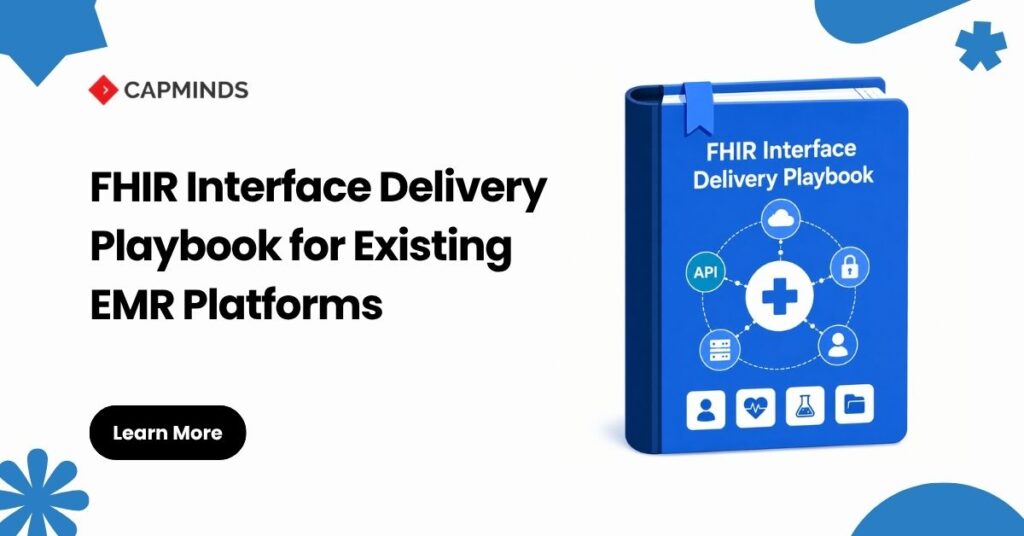
FHIR Interface Delivery Playbook for Existing EMRs: Mapping Workbook, OAuth Checklist, Test Plan, and Support Model
A FHIR endpoint can return 200 OK and still fail the business workflow it was built to support.
The patient may be matched to the wrong identifier namespace. A laboratory value may arrive without a usable unit. The application may work in a public sandbox but fail in the customer’s environment because its client ID, scopes, keys, endpoints, or Epic configuration differ. A retried POST request may even create a duplicate record.
These failures happen because FHIR connectivity is only one part of interface delivery. A production-ready interface also needs an approved semantic mapping, a verified authorization contract, workflow-level testing, reconciliation controls, and named operational owners.
This playbook explains how to organize those requirements through four delivery artifacts:
- Mapping workbook
- OAuth checklist
- Interface test plan
- Production support model
What Is a FHIR Interface Delivery Playbook?
A FHIR interface delivery playbook is a controlled set of technical decisions, validation evidence, acceptance criteria, and ownership records used to move an EMR integration from discovery through production support.
It answers four essential questions:
- What information moves, and what does each value mean?
- How will the application obtain and retain authorized access?
- What evidence proves the interface works under realistic conditions?
- Who detects, investigates, corrects, and communicates failures?
This is important because “FHIR R4 supported” is not a complete interface specification. Two systems can implement FHIR R4 while supporting different resources, profiles, search parameters, extensions, operations, and business rules.
A FHIR server describes many of these capabilities through its CapabilityStatement, but the implementation team must still compare them with the intended clinical and operational workflow.
1. Establish the Interface Contract
Before detailed development, create a one-page interface contract.
Document:
- Business workflow and expected outcome
- Source and target systems
- Data direction
- FHIR version and implementation guide
- Resources and profiles
- Read, search, create, update, patch, and delete requirements
- Expected volume, latency, and availability
- Authentication pattern
- Reconciliation process
- Go-live and rollback criteria
- Technical, clinical, security, and operational owners
Retrieve Environment-Specific Capabilities
Collect and version the following responses for every development, test, and production environment:
GET {fhir-base-url}/metadata
Accept: application/fhir+json

GET {fhir-base-url}/.well-known/smart-configuration
Accept: application/json
The first returns the FHIR CapabilityStatement. The second publishes SMART authorization metadata such as authorization endpoints, token endpoints, supported capabilities, and PKCE methods. SMART App Launch 2.2 is the current published SMART implementation guide and is based on FHIR R4.
Do not assume the endpoints, profiles, scopes, and operations are identical across environments.
Add the Epic Client Context Where Required
Epic can override OAuth endpoints on a per-client-ID basis. In those configurations, a metadata request without the correct production or non-production Epic-Client-ID header may return the wrong authorization and token endpoints.
GET {epic-fhir-base}/metadata
Accept: application/fhir+json
Epic-Client-ID: {environment-specific-client-id}
This is an Epic-specific requirement that should be confirmed for the customer environment rather than applied to every FHIR server. Epic also uses separate production and non-production client IDs and recommends separate key pairs for those environments. Customer activation and configuration remain separate from public sandbox testing.
2. Build an Auditable Mapping Workbook
The mapping workbook is the semantic contract between the existing EMR and the FHIR representation.
It should be understandable by integration engineers, clinical owners, analysts, testers, and compliance teams. Do not leave critical mapping logic only inside transformation code.
Each row should include:
- Source table, field, and data type
- Source business definition
- Sample source value
- Target resource and profile
- Target FHIRPath
- Cardinality
- Transformation rule
- Terminology system
- Identifier namespace
- Null or absent-data handling
- Reference-resolution rule
- Validation requirement
- Mapping owner and approval status
Map Meaning, Not Similar Names
An MRN should not be copied into Patient.identifier.value without also preserving the assigning namespace in Patient.identifier.system.
Likewise, a laboratory result may require all of the following:
- Observation.status
- Observation.code
- Observation. subject
- Observation. encounter
- Observation.effective[x]
- Observation.valueQuantity
- Unit and UCUM code
- Reference range
- Interpretation
A structurally valid Observation can still be clinically incorrect if the status, patient reference, code, unit, date, or interpretation is wrong.
Separate Structural and Terminology Mapping
Structural mapping determines where information belongs. Terminology mapping determines what coded information means.
Maintain local-to-standard mappings in a governed terminology matrix or FHIR ConceptMap. Record:
- Source code and coding system
- Target code and coding system
- Code-system version
- Mapping relationship
- Approval owner
- Unmapped-value behavior
Do not silently replace an unmapped diagnosis, allergy, result, or status with a convenient default. Define whether the value must be rejected, quarantined, retained with its original coding, transmitted without a standard equivalent, or routed for review.
FHIR validation can evaluate structure, cardinality, terminology bindings, invariants, and profile conformance. It cannot independently prove clinical or workflow correctness, so domain-owner approval remains necessary.
3. Complete the OAuth and SMART Checklist
Choose the Correct Authorization Pattern
For an interactive application acting with a signed-in user, use SMART App Launch with the authorization-code flow and PKCE.
For an autonomous machine-to-machine interface, use SMART Backend Services with:
- OAuth 2.0 client_credentials
- Asymmetric client authentication
- Signed JWT client assertion
- Pre-authorized access scopes
Backend services normally use system/ scopes. SMART does not prohibit patient/ or user/ scopes in a backend flow, but the relevant patient or user context must be established through approved out-of-band coordination.
Registration Checklist
Confirm:
- Production and non-production client IDs
- Registered redirect URIs
- Launch URL
- Public or confidential client type
- Authorization and token endpoints
- JWK Set URL
- Supported signing algorithms
- Key ownership and rotation process
- Required FHIR resources
- Minimum SMART scopes
- Patient, encounter, practitioner, or organization context
- Customer security approval
- EMR activation dependencies
Request only the permissions needed for the approved use case. SMART scopes are constrained by both the token and the underlying user or client policy. A granted scope therefore does not guarantee that every record or operation will be available. A server may filter search results or reject an operation based on underlying permissions.
Runtime Security Checklist
For user-facing flows, verify:
- TLS-protected traffic
- Unique and unpredictable state
- Exact state validation
- Exact redirect URI matching
- PKCE with S256
- Correct aud value
- Granted-scope verification
- Token-expiration handling
- Secure refresh-token handling where applicable
For backend JWT assertions, verify:
- iss
- sub
- aud
- exp
- jti
- kid
- Approved signing algorithm
- Signature validity
- Unique assertion identifier
- Short assertion lifetime
The supplied OpenID HEART document is an authoritative historical profile, but it was published in 2018 and references older FHIR STU3-era scope patterns. Modern implementations should use the current SMART App Launch scope syntax and security requirements as the primary authority.
4. Execute a Workflow-Level Test Plan
A reliable test plan must cover more than successful API calls.
Capability and Protocol Tests
Verify:
- FHIR version
- Supported resources
- Profiles
- Interactions
- Search parameters
- SMART discovery
- Content types
- Pagination
- Bundle handling
- Write restrictions
OAuth Positive and Negative Tests
Test successful authorization and token issuance, followed by:
- Invalid redirect URI
- Missing or replayed state
- Failed PKCE verification
- Incorrect aud
- Expired JWT assertion
- Reused jti
- Unknown or revoked key
- Insufficient scope
- Unauthorized resource operation
Structural and Semantic Tests
Validate representative resources and Bundles against the agreed profiles. Capture OperationOutcome responses and classify errors, warnings, accepted exceptions, and corrective actions.
Separately verify:
- Identifier namespaces
- Code systems
- Units
- Dates and time zones
- Status transitions
- References
- Null handling
- Corrected records
- Entered-in-error data
Idempotency and Concurrency Tests
Do not assume that retrying a write is safe.
An ordinary retry of POST /ResourceType may create a duplicate. Where the server supports it, conditional create can use If-None-Exist to create a resource only when the supplied search criteria find no equivalent record.
For version-aware updates, use the resource ETag with If-Match. A version mismatch can return 412 Precondition Failed, while other update conflicts may return 409 Conflict.
PUT /Patient/347
If-Match: W/"23"
Content-Type: application/fhir+json
Conditional create, conditional update, version-aware updates, and patch support remain server-specific. Verify each interaction in the CapabilityStatement and customer environment before relying on it.
Pagination and Reconciliation
For paginated searches, follow the URL supplied in Bundle.link where relation=”next”. Treat server-generated paging links as opaque; do not construct the next-page URL manually.
Reconcile:
- Source and target counts
- Missing resources
- Duplicates
- Rejected records
- Broken references
- Critical field values
- Completed workflow outcomes
Use the Correct Inferno Test Kits
Use the Inferno US Core Test Kit for US Core profiles, required searches, references, capabilities, and Must Support behavior.
Use the SMART App Launch Test Kit separately for authorization-server and SMART-client conformance, including EHR launch, standalone launch, and backend-services scenarios. Automated conformance tests supplement, but do not replace, clinical, operational, security, and customer acceptance testing.
5. Define a Recommended Production Support Model
FHIR and SMART do not require a particular three-tier support organization. However, a practical production model should establish clear escalation levels.
Level 1: Monitoring and Service Desk
Monitor:
- Endpoint availability
- Authentication failures
- Certificate and key expiration
- Queue health
- Processing latency
- Error-rate thresholds
Level 2: Integration Operations
Investigate:
- FHIR validation failures
- OAuth and scope issues
- Mapping defects
- Terminology exceptions
- Pagination failures
- Retry behavior
- Duplicate records
- Reconciliation differences
Level 3: Engineering, Security, and EMR Vendor
Escalate:
- Software defects
- Profile changes
- API-version changes
- Customer EMR configuration
- Compromised credentials
- Architecture changes
- Unresolved data-integrity incidents
The runbook should define incident severity, restoration targets, escalation contacts, evidence collection, controlled replay, rollback conditions, customer communication, and post-incident review.
Treat request URLs, logs, diagnostic payloads, and support evidence as potentially ePHI-bearing. FHIR security guidance warns that HTTP logs, even those containing only URLs, can reveal sensitive clinical activity. Apply approved minimization, masking, access control, retention, and secure-disposal policies.
The HIPAA Security Rule requires appropriate administrative, physical, and technical safeguards to protect the confidentiality, integrity, and availability of ePHI. It does not prescribe a specific interface-support structure, so the model must be adapted to the organization’s documented risk analysis and operating environment.
The Production-Readiness Rule
“The endpoint works” is not sufficient evidence that an interface is ready.
A FHIR interface should enter production only when:
- The interface contract is approved
- Mapping decisions are traceable
- OAuth behavior is proven
- Negative-path tests pass
- Idempotency and concurrency are controlled
- Reconciliation is complete
- Rollback and replay are tested
- Support ownership is assigned
- Technical and business owners approve go-live
Deliver Production-Ready FHIR Interfaces With CapMinds
CapMinds helps healthcare organizations move from API discovery to governed, supportable FHIR interface delivery.
Our healthcare interoperability teams support:
- FHIR capability and workflow assessment
- Source-to-target mapping workbooks
- Terminology and identifier governance
- SMART on FHIR authorization
- Backend OAuth configuration
- Epic and other EMR implementation coordination
- Profile and resource validation
- Workflow, security, and negative-path testing
- Reconciliation and go-live planning
- Production monitoring and interface support
Reduce mapping ambiguity, authorization delays, failed acceptance cycles, duplicate records, and unsupported production interfaces with an implementation model built around evidence, ownership, and measurable go-live criteria.