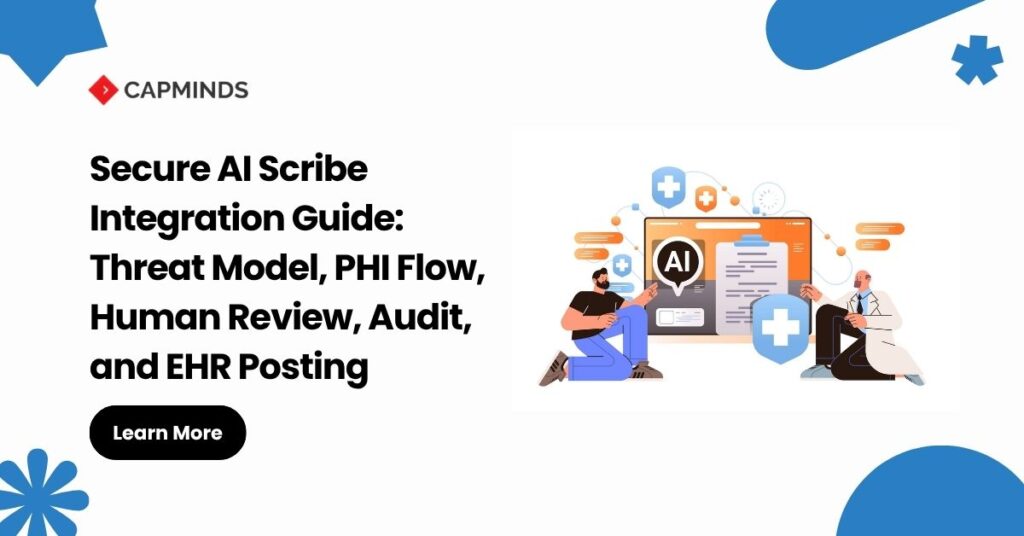
Secure AI Scribe Integration Guide: Threat Model, PHI Flow, Human Review, Audit, and EHR Posting
An AI scribe can produce an accurate-looking note while still creating a serious integration failure.
The transcript may belong to the wrong encounter. A medication may be attributed to the wrong speaker. A retry may create duplicate notes. The EHR may accept the API request but store the document under an unexpected note type. Raw audio may remain in a vendor backup after the organization believes it was deleted.
A production AI scribe must therefore be treated as a clinical PHI processing and EHR write-back system, not simply as a speech-to-text application.
What Is a Secure AI Scribe Integration?
A secure AI scribe integration captures an encounter, converts speech into text, generates a clinical draft, routes that draft through clinician review, and posts the authenticated note into the correct EHR record.
The system normally contains six components:
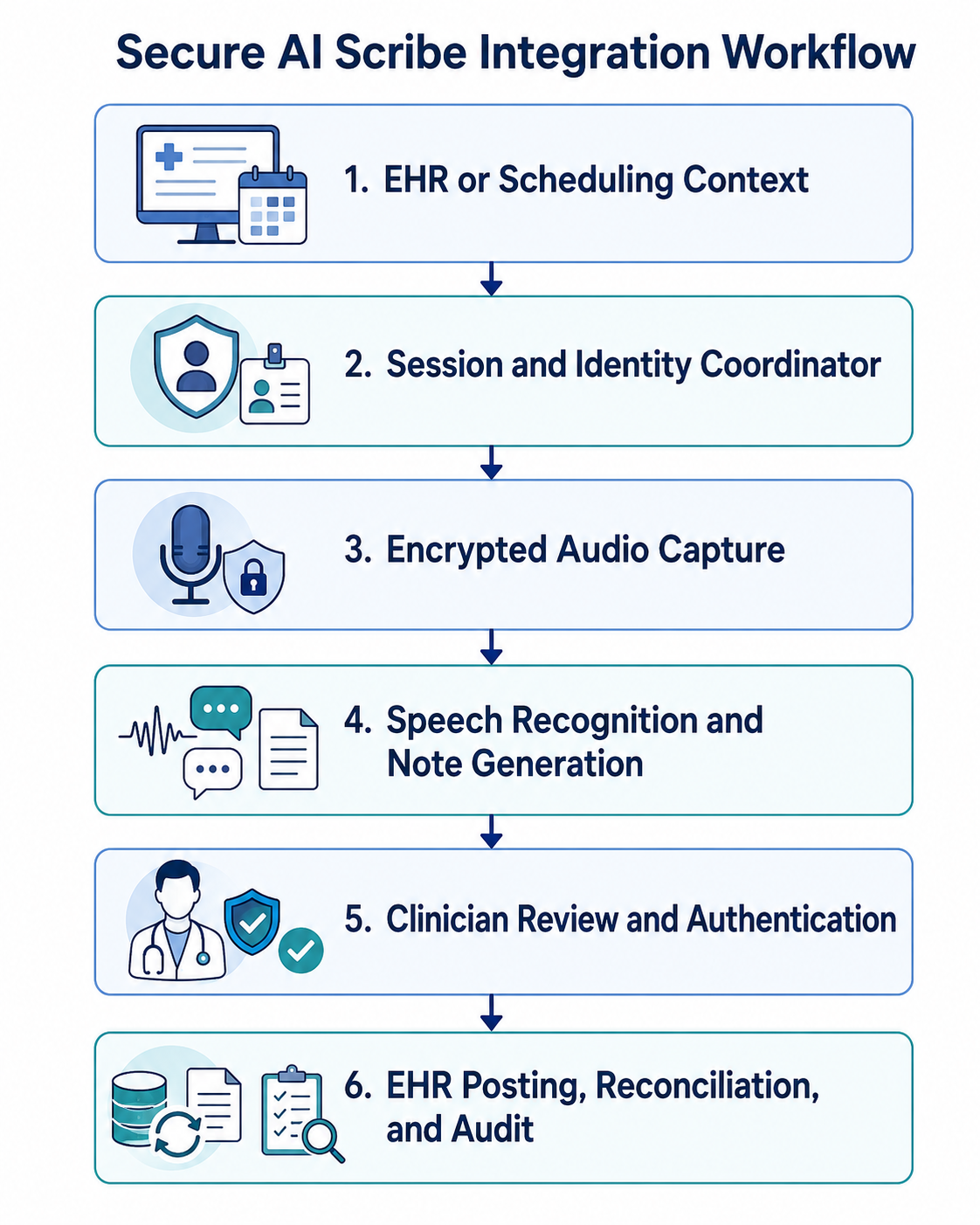
Every transition must preserve four bindings:
Organization → Clinician → Patient → Encounter
The language model must never control or modify these identifiers.
Why Secure AI Scribe Integration Matters
Audio, transcripts, prompts, generated notes, OAuth tokens, clinician edits, and audit records may all contain or provide access to ePHI. The HIPAA Security Rule requires regulated entities to protect the confidentiality, integrity, and availability of ePHI and implement appropriate administrative, physical, and technical safeguards.
When an AI, transcription, or cloud vendor creates, receives, maintains, or transmits ePHI for a covered entity or business associate, a HIPAA-compliant business associate agreement is generally required. This remains true even when the vendor stores only encrypted ePHI and does not possess the decryption key.
A BAA alone does not make the integration secure. The healthcare organization must still conduct a risk analysis, understand the vendor’s subprocessors, restrict permitted data uses, and verify the implemented safeguards.
1. Establish the PHI Boundary Before Integration
Document every system that receives encounter information.
| Data object | Primary risk | Required handling |
| Raw audio | Captures voices and potentially unrelated conversations | Short retention, encrypted storage, restricted playback |
| Transcript | Contains unverified PHI and speaker-attribution errors | Separate from final record and inaccessible to downstream users |
| Prompt context | May expose historical diagnoses or unrelated encounters | Minimum necessary context and no application logging |
| Generated draft | May contain unsupported clinical statements | Clearly marked unverified and blocked from automatic posting |
| Final note | Becomes part of the designated clinical record | Clinician authentication, versioning, amendment controls |
| OAuth tokens | Can provide broader EHR access than a transcript | Secret storage, restricted audience and short lifetime |
| Audit records | May reveal patient and workflow information | Protected as sensitive records with limited administrative access |
The vendor contract should define data retention, deletion from active storage and backups, subprocessor access, incident notification, model-training restrictions, data location, availability, export, and termination procedures.
Do not allow PHI to be used for model training, product improvement, or human review unless the use is explicitly permitted, risk-assessed, and contractually controlled.
2. Build a Formal Threat Model
Use both traditional application-security threats and AI-specific clinical threats.
| Threat | Failure scenario | Required control |
| Identity spoofing | A session is opened under the wrong clinician | EHR-authenticated launch and clinician identity verification |
| Context substitution | A note is posted after the user switches patients | Context locking and pre-post patient revalidation |
| Transcript tampering | Audio or transcript changes after generation | Artifact hashes, immutable versions and provenance |
| PHI disclosure | Notes or tokens appear in logs or analytics tools | Log redaction, allowlisted telemetry and token isolation |
| Prompt injection | Spoken text attempts to alter system instructions | Treat transcripts as untrusted data and prohibit tool execution |
| Clinical confabulation | The draft adds diagnoses, findings or plans not stated | Evidence-linked review and clinical acceptance testing |
| Excessive agency | The model creates orders or signs documentation | No autonomous EHR authority and enforced human approval |
| Duplicate posting | A timeout causes the same note to be submitted twice | Idempotency, conditional creation and reconciliation |
| Denial of service | Model or EHR outage blocks documentation | Local draft preservation and controlled recovery workflow |
| Repudiation | The organization cannot prove who approved the note | Append-only approval, signature and posting audit events |
NIST identifies confabulation, data privacy, information security, human-AI configuration, and third-party component integration as material generative AI risks. It recommends empirically validated predeployment testing under conditions similar to the intended deployment environment.
3. Separate Patient Notice From Legal Authorization
Do not describe recording consent as a universal HIPAA requirement.
HIPAA generally permits PHI use for treatment, payment, and healthcare operations without requiring general patient consent. Organizations may still implement their own consent process.
Audio-recording laws, state privacy requirements, telehealth rules, organizational policy, minors, interpreters, and third-party participants must be evaluated separately.
The capture workflow should support:
- A visible recording indicator
- Patient notice or authorization according to approved policy
- Immediate pause and stop controls
- Documentation of refusal
- Exclusion of pre-encounter and post-encounter conversations
- Special handling for caregivers, interpreters and group sessions
Behavioral health requires additional classification. Psychotherapy notes receive special HIPAA protection when they meet the regulatory definition and are maintained separately.
Organizations subject to 42 CFR Part 2 must also address Part 2 records and SUD counseling notes. Compliance with the updated Part 2 rule has been required since February 2026, and SUD counseling notes generally require specific consent outside limited exceptions.
4. Secure EHR Launch and Authorization
Use an EHR-launched SMART on FHIR workflow when supported. The current SMART App Launch specification uses OAuth 2.0 authorization, scoped FHIR access, launch context, PKCE, registered redirect URIs, and audience restriction.
For user-facing applications:
- Use authorization-code flow with PKCE using S256
- Register exact redirect URIs
- Validate state, issuer and token audience
- Request only the required resource and operation scopes
- Store refresh tokens only in protected server-side storage
- Bind tokens to the correct tenant and EHR connection
- Revoke tokens when a clinician, customer or integration is deactivated
SMART patient or encounter context must not be accepted without validation.
Encounter context may be absent, and SMART launch does not automatically notify the application when the clinician changes patients inside the EHR. The scribe must either use an approved context-synchronization method or stop capture and require explicit revalidation.
Backend posting services should use asymmetric client authentication where the EHR supports it. SMART identifies private-key authentication as preferable to a shared secret because a reusable secret is not transmitted to the authorization server.
5. Enforce Human Review as a Workflow Control
The generated note must remain a draft until the responsible clinician reviews and authenticates it.
Use an enforced state machine:
CONTEXT_VERIFIED
    → CAPTURE_AUTHORIZED
    → RECORDING
    → TRANSCRIBED
    → DRAFT_GENERATED
    → REVIEW_REQUIRED
    → APPROVED
    → SIGNED
    → POST_PENDING
    → POST_CONFIRMED
    → RECONCILED
No API, model, service account, or retry worker should move a note directly from DRAFT_GENERATED to SIGNED or POST_CONFIRMED.
The review interface should highlight:
- Low-confidence transcription segments
- Medication, dosage, route and frequency
- Allergies and adverse reactions
- Negation, uncertainty and temporality
- Diagnoses, procedures, referrals and orders
- Laterality and anatomical location
- Statements attributed to the patient, clinician or caregiver
- Information added from prior-record context
- Differences between the AI draft and signed note
For Medicare documentation, CMS states that when a scribe, including AI technology, prepares a medical record entry, the responsible provider must sign the entry to authenticate the documentation and the care provided or ordered. The scribe itself does not need to sign.
6. Validate Clinical Performance Before Release
Generic transcription accuracy is not an adequate acceptance test.
Build a representative validation set covering specialties, note types, accents, languages, background noise, telehealth audio, multiple speakers, interpreters, pediatric encounters, caregiver discussions and incomplete recordings. Measure at least:
| Metric | What it detects |
| Unsupported assertion rate | Clinical content not supported by the encounter |
| Critical omission rate | Missing symptoms, findings, plans or safety information |
| Medication entity accuracy | Drug, dose, route, frequency and status errors |
| Negation and uncertainty accuracy | “No chest pain” becoming “chest pain” |
| Speaker-attribution accuracy | Caregiver statements assigned to the patient |
| Patient and encounter match rate | Wrong-chart documentation risk |
| Clinician correction rate | Workflow burden and model-quality degradation |
| Posting reconciliation rate | Notes accepted and persisted correctly by the EHR |
There is no universal safe percentage for every specialty.
Clinical, compliance, security and operational owners must establish documented go/no-go thresholds based on the intended use and consequences of failure.
Repeat the regression suite whenever the speech model, language model, prompt template, note template, terminology mapping or EHR adapter changes. Begin with shadow mode, move to a limited clinician cohort, and maintain a rollback and kill-switch process.
7. Post to the EHR Through a Controlled Adapter
Do not assume that an EHR supporting FHIR reads supports note creation.
Inspect the EHR’s CapabilityStatement, implementation guide, vendor documentation and sandbox behavior. Confirm supported resources, profiles, operations, note types, author fields, encounter requirements, document status, signature workflow and amendment behavior.
Possible write-back patterns include:
- A vendor-specific clinical-note endpoint
- DocumentReference referencing a note or document
- A FHIR document using Composition
- An HL7 document interface
- An approved EHR-native integration service
DocumentReference provides metadata for discovering and managing documents, including clinical notes.
A Composition defines the structure and attestation context of a FHIR document, but a Composition alone is not a document; it must be the first entry in a Bundle with type=document. Before submission:
- Re-read and verify patient and encounter context.
- Confirm the approving clinician and signed state.
- Assign a stable source-note identifier.
- Validate the payload against the vendor profile.
- Record a payload hash and source version.
- Create an application-level idempotency record.
- Submit through a transactional outbox.
- Store the returned EHR identifier and version.
- Read the note back or reconcile it asynchronously.
- Notify the clinician when confirmation fails.
Where supported, use FHIR conditional create to prevent duplicate resources and ETag with If-Match for version-aware updates. A version mismatch should stop the update rather than overwrite a newer record.
Signed notes must not be silently replaced. Corrections should use the EHR’s amendment, addendum, supersede, or entered-in-error workflow.
8. Preserve Auditability and Provenance
Record enough information to reconstruct the entire workflow:
tenant_id
session_id
patient_reference
encounter_reference
clinician_reference
capture_start_and_stop
model_and_prompt_version
input_and_output_hashes
draft_created
clinician_edits
approval_and_signature
posting_attempts
EHR_resource_id_and_version
deletion_events
security_and_access_failures
Use AuditEvent for security-relevant activity and Provenance for how the clinical resource was created, revised, transformed or signed. HL7 describes AuditEvent as a security-log record and Provenance as the lineage supporting authenticity, trust and reproducibility.
Do not place full transcripts, tokens or complete notes in routine application logs. Send correlation identifiers and controlled event metadata to the SIEM, protect the audit store from alteration, and monitor privileged access.
Production Release Gate
The integration is not ready for production until the organization can demonstrate:
- Completed PHI data-flow and risk analysis
- Executed BAAs and verified subprocessors
- Approved recording and sensitive-data policy
- Least-privilege SMART or vendor authorization
- Representative clinical validation
- Mandatory clinician review and authentication
- Duplicate-safe EHR posting and reconciliation
- Immutable audit and provenance records
- Tested outage, rollback and incident procedures
- Retention and deletion verification
- Continuous model, security and workflow monitoring
Build a Production-Ready AI Scribe Integration With CapMinds
CapMinds helps healthcare organizations move AI scribes from isolated pilots into secure, production-ready clinical workflows.
Our healthcare AI and interoperability teams support PHI-flow assessment, threat modeling, SMART on FHIR authorization, vendor and EHR integration, clinical review workflows, FHIR and proprietary write-back adapters, audit architecture, validation testing, deployment monitoring and failure recovery.
Connect with CapMinds for an AI scribe integration assessment before wrong-patient notes, hidden PHI retention, or failed EHR posting reaches production.