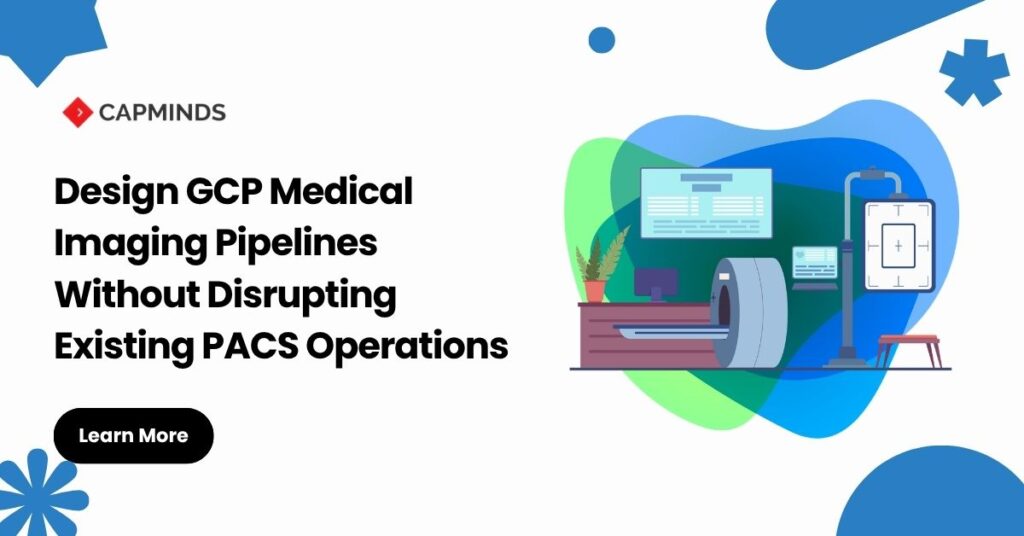
Design GCP Medical Imaging Pipelines Without Disrupting Existing PACS Operations
What happens when a cloud connection fails halfway through transferring a CT study? Radiologists should still open images, technologists should continue scanning, and the PACS should continue serving prior examinations.
That outcome depends on where the cloud pipeline sits. Adding a destination can introduce shared queues, competing archive reads, and unexpected acknowledgment dependencies.
A successful upload demonstration does not establish that clinical operations will survive an outage.
The practical starting point is an asynchronous secondary pipeline. Keep the existing clinical workflow authoritative while independently copying selected imaging data into Google Cloud. Then prove that failures, retries, and historical transfers remain isolated from patient care.
What Is a GCP Medical Imaging Pipeline?
A GCP medical imaging pipeline is a connected workflow that transfers, stores, validates, and processes medical images using Google Cloud services. It carries DICOM images and associated metadata from imaging systems into a controlled cloud environment for authorized viewing, analysis, or other downstream applications.
Cloud Healthcare API provides DICOM stores and DICOMweb interfaces for storing, searching, and retrieving imaging data. For existing PACS systems using traditional DICOM communication, Google’s DICOM adapter can translate C-STORE operations into DICOMweb STOW-RS requests.
In the architecture proposed here, the PACS continues supporting clinical acquisition, reading, and archiving. An independently managed route sends selected copies to Google Cloud. Reliable operation requires additional controls for buffering, retries, patient identity, study completeness, access, and monitoring.
Why Is Protecting Existing PACS Operations Important?
PACS supports time-sensitive clinical work, including access to current examinations and prior images. A cloud integration that shares constrained network capacity, archive retrieval resources, or delivery queues can introduce delays into these workflows.
The design goal is to make cloud processing operationally independent. If connectivity fails or a downstream application stops, clinical imaging should continue while the secondary pipeline retains pending work for recovery. Achieving this requires tested queue isolation, sufficient buffering, controlled transfer rates, and reconciliation.
This approach also supports gradual adoption. Teams can validate selected imaging workflows before expanding cloud use, while retaining a tested rollback path.
Google Cloud provides imaging data services that can support Health Interoperability and analysis; protecting clinical continuity depends on how those services are integrated with the existing environment.
Designing GCP Medical Imaging Pipelines Without Existing PACS Operation Disruption
1. Define the Pipeline and Its Clinical Boundary
A GCP medical imaging pipeline receives DICOM objects, stores them in a Cloud Healthcare API DICOM store, and makes them available to authorized downstream applications. Google’s DICOM adapter bridges traditional DIMSE communication, including C-STORE, to DICOMweb operations such as STOW-RS. Its published PACS connection tutorial is explicitly a prototype.
The DICOM store supplies imaging data services; the surrounding solution must provide the required viewing, workflow, identity, and operational controls.
Establish the starting architecture
| Layer | Responsibility |
| Existing modalities and PACS | Continue acquisition, reading, and clinical archiving |
| Independent forwarding route | Copy approved studies without blocking clinical delivery |
| Durable edge queue and uploader | Buffer outages, track delivery, and control upload rates |
| Cloud Healthcare API DICOM store | Store imaging objects and support DICOMweb access |
| Pub/Sub and processing workers | Trigger downstream work independently of PACS operations |
This is a recommended deployment pattern, not functionality automatically supplied by installing the adapter. Verify queue persistence and acknowledgment behavior in the selected gateway.
2. Baseline PACS Behavior Before Adding Traffic
Inventory compatibility and dependencies
Collect PACS, modality, and gateway DICOM conformance statements. Record Application Entity titles, allowed peers, ports, SOP Classes, transfer syntaxes, association limits, and Storage Commitment behavior.
Test representative objects, including enhanced multiframe images, structured reports, presentation states, and large studies. Successful CT ingestion alone does not validate the estate.
Measure peak ingestion, archive retrieval latency, interface queue age, and available WAN bandwidth. Agree on acceptable deviations with radiology operations and the PACS vendor before activation.
Preserve patient and order context
Retain StudyInstanceUID, SeriesInstanceUID, and SOPInstanceUID for faithful clinical copies. Map PatientID with its assigning authority, accession identifiers, and order context. Do not assume an MRN is globally unique across facilities.
Define how patient merges, demographic corrections, and amended objects reach the cloud copy. Image forwarding alone does not synchronize those changes. Assign an authoritative source and an exception workflow.
3. Isolate Cloud Failures with Durable Buffering
Separate clinical and cloud delivery
Use a vendor-supported forwarding route with independent retry and concurrency controls. Confirm that an unavailable cloud destination cannot stall the PACS’s primary ingestion or reporting queues.
For the cloud-copy branch, acknowledge receipt only after meeting the gateway’s documented durability contract. If acknowledgment depends on cloud persistence, retain upstream retries and prove their isolation.
C-STORE success must not be interpreted as permission to delete the source. DICOM Storage Commitment is a separate service for accepting responsibility for stored objects. Validate its end-to-end implementation before changing retention.
Size for outages and recovery
Estimate minimum usable spool capacity as peak incoming bytes per second multiplied by the tolerated outage duration, then add measured headroom for bursts and retries.
Recovery throughput must exceed continuing arrivals; otherwise, the backlog never drains. Test disk exhaustion, gateway restart, and WAN loss. Configure early capacity alerts and a controlled pause of cloud forwarding while preserving source copies.
[/vc_column_text][/vc_column][/vc_row]Explore Your PACS-to-Cloud Options
Get clarity on connecting your PACS to Google Cloud while protecting imaging workflows and planning for reliable transfers.
4. Validate DICOM Delivery at Instance Level
Handle partial failures and duplicates
Maintain a delivery ledger containing source, destination, UID tuple, attempt status, and verification outcome. Inspect STOW-RS response details: HTTP 409 can indicate an invalid instance or another storage failure, not simply a harmless duplicate.
Google documents an “already exists” failure for an existing study/series/instance UID tuple. Verify the destination object before treating replay as delivered. Quarantine conflicting content for review.
Retry transient failures with bounded exponential backoff and jitter. Route persistent authentication, authorization, and malformed-data errors to actionable exceptions.
Control retrieval encoding
When the consumer supports the original encoding, this WADO-RS request header avoids unintended transcoding:
Accept: multipart/related; type="application/dicom"; transfer-syntax=*
Google warns that default retrieval can decompress compressed objects. Validate decoder compatibility, pixel integrity, and clinically relevant metadata before approving downstream use.
5. Establish Study Readiness Before Processing
Cloud Healthcare API notifications identify DICOM instance events. They do not establish that every series required by an application has arrived. Configure publisher permissions and test the selected notification configuration.
Build a study coordinator that tracks received instances and reconciles them against a source inventory or validated workflow signal. A quiet interval can identify a candidate study for checking, but cannot prove completeness.
Design workers to tolerate duplicates and out-of-order events. Record durable processing state before acknowledging messages, and provide a dead-letter workflow for repeated failures. Pub/Sub ordering requires explicit conditions; do not assume it.
Late images should trigger completeness reassessment and, where necessary, controlled reprocessing. Keep a scheduled reconciliation path so event consumption is not the sole evidence of successful delivery.
6. Separate Historical Backfill from Live Imaging
Run backfill through a separately throttled work queue. Limit archive retrieval concurrency and pause historical transfers when clinical latency exceeds the agreed threshold.
Cloud Storage staging followed by DICOM import can support historical loading. Review current API quotas, object limits, and long-running-operation capacity before sizing batches. Inspect operation failures and reconcile the destination inventory.
Model costs across gateway storage, connectivity, API operations, image storage, retrieval, and processing. Repeated full-study downloads can materially change the operating budget. Confirm retention and restoration requirements before changing either archive.
7. Secure the Complete PHI Path
Execute the applicable Google Cloud BAA and verify that every service handling PHI is covered. Google identifies HIPAA compliance as a shared responsibility; configuration and operating controls remain the customer’s responsibility.
Separate uploader, processor, and administrator permissions. Protect gateway disks, queues, logs, and exception payloads. Choose locations deliberately and validate encrypted connectivity.
Evaluate VPC Service Controls for supported services, and configure the required Data Access audit logs. Test allowed and denied access paths before rollout.
For research, use a separate de-identification workflow. Removing patient-name tags alone is insufficient when identifiers appear in pixels. Validate redaction results and residual disclosure risks.
8. Release Through Measurable Acceptance Gates
Begin with one agreed modality or routing cohort. Expand only after demonstrating:
- Stable acquisition and PACS retrieval performance under peak load.
- Reconciled instance inventories and resolved identity exceptions.
- Successful outage buffering, restart recovery, and backlog drainage.
- Safe handling of duplicates, late series, and failed processing.
- A tested rollback that disables cloud forwarding while clinical operations continue.
Assign owners for queue alerts, reconciliation failures, security events, and after-hours escalation. Treat diagnostic return of AI results as a separate clinical integration requiring validation, provenance, routing-loop prevention, and controlled release.
Plan Your GCP Imaging Pipeline with CapMinds
CapMinds can help assess PACS dependencies, design GCP integration, and define validation and rollout controls around your imaging workflows. Start with your PACS platform, modality mix, and intended cloud use case to identify the integration decisions that need attention.