How to Build a Digital Health Platform Using OpenEMR (RPM, Telehealth, Labs & AI)
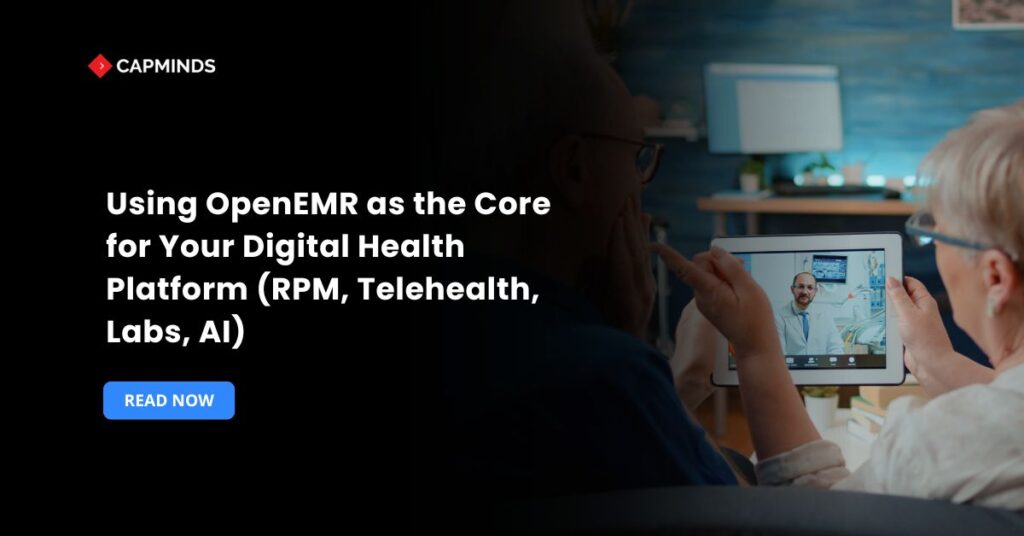
The healthcare sector industry is rapidly digitizing, and providers and IT innovators are looking for strong yet cost-effective solutions to create scalable, compliant, and interoperable platforms. OpenEMR is a free open-source system that can serve as the foundation for new digital health platforms.
In this blog, you’ll learn how OpenEMR serves as the foundation for integrated solutions such as RPM, telehealth, lab integration, and AI-driven insights that help providers to generate revenue and drive innovation.
Why OpenEMR Is the Best Foundation for a Digital Health Platform
OpenEMR is more than just an EHR; it’s an open-source, configurable, and modular solution with robust APIs and compliance features. When implemented properly, it may shorten time-to-market and reduce development costs for digital health solutions.
Advantages of OpenEMR for Healthcare Platform Development
- Open-source, no licensing costs, and complete control over codebase modification.
- Verifies compliance with US healthcare standards such as HIPAA and MACRA.
- The built-in modules and extensive API structure allow for smooth integration and are highly customizable.
- A worldwide developer and user community is constantly improving the platform.
- Supports FHIR, HL7, CCD, Direct Messaging, and other interoperability standard protocols.
Common Challenges When Building a Digital Health Platform with OpenEMR
There are many advantages to developing an OpenEMR digital health platform, but there are drawbacks as well. Key obstacles consist of:
- For setup and upkeep, OpenEMR requires IT expertise. You have to take care of your own security, backups, and upgrades if you depend on community or free help. For deployment and modification, many businesses depend on outside OpenEMR vendors.
- The OpenEMR interface may look cluttered or out of date by default. The standard dashboard often confuses clinicians due to its excessive number of panels and confusing navigation. Though adaptable layouts and a new “Modern” theme have enhanced recent versions, most practices still need to customize the UI/UX to fit their own workflows. Without customization, OpenEMR’s interface may slow clinicians down compared to more polished proprietary EHRs.
- While the software is free, customizing OpenEMR and keeping it up-to-date can be costly. The major challenges faced by practices are the costs associated with developments and upgrades. In practice, you will spend on hosting, development, and support, even though you save on license fees.
- Integrating all required services can be complex. OpenEMR provides APIs, but creating and sustaining these connections requires careful architecture.
- It is crucial to ensure data security and HIPAA compliance. OpenEMR has capabilities like audit logs and encryption, but you need to properly configure them and conduct frequent risk assessments. When self-hosting or modifying OpenEMR, compliance is your responsibility; this could require more work than with a managed proprietary solution.
Despite these difficulties, a lot of businesses can overcome them by taking advantage of OpenEMR’s adaptability. The difficulties become manageable trade-offs for the openness and low overhead of the platform with the appropriate team and procedures.
OpenEMR Integrations for Modern Digital Health Solutions
1. OpenEMR Remote Patient Monitoring (RPM) Integration
RPM systems are based on real-time data from wearables and medical devices. This data may be ingested, stored, and shown via OpenEMR’s patient dashboards or third-party analytics integration.
- Bluetooth-enabled blood pressure monitors, glucose meters, and oximeters.
- Real-time patient vital signs recording, alerts for abnormal readings.
- Tracks the chronic care treatment plans for chronic patients.
2. OpenEMR Telehealth Integration for Virtual Care
OpenEMR’s patient portal and appointment modules can be integrated with video conferencing solutions to build a HIPAA-compliant telehealth system.
- Secure video consultations using Zoom or Twilio interfaces.
- ePrescription and digital notes are provided after consultation.
- An integrated calendar with reminders is sent via SMS or Email.
- Reimbursement codes for virtual consultations.
3. OpenEMR Lab and Diagnostic System Integration
Digital health systems frequently demand efficient lab order processing and results distribution. OpenEMR’s support for HL7 and LOINC makes this easier.
- Submit lab orders directly to LabCorp, Quest, etc.
- Automatic synchronization of test findings with patient records
- Customized warnings for crucial values can be set.
- Clinical decision support for lab interpretation.
4. AI and Predictive Analytics Integration with OpenEMR
OpenEMR may function as a data repository for your AI engine. Using APIs to integrate machine learning models, prediction tools may be created on top of structured clinical data.
- Reduces Readmission Risk Scoring.
- Population Health Insights.
- Medication Adherence Analysis.
- Using NLP on medical notes to predict diagnoses.
OpenEMR vs Traditional EHR Platforms for Digital Health Development
When choosing between OpenEMR and a traditional EHR, consider these contrasts:
- OpenEMR’s starting expenditures are significantly lower because there are no license fees. You have complete access to the source code and are free to modify it. Conventional EHRs sometimes limit code modifications and demand pricey licensing. However, proprietary systems typically include dedicated implementation support and turnkey features, whereas OpenEMR implementations require more in-house or contracted development.
- Proprietary EHR users can become “locked in” after years of implementation work. Switching vendors or adding new capabilities can be slow and costly. OpenEMR makes it easy to add, modify, or remove modules without waiting for a vendor. You can always change support vendors or assemble your own dev team since there’s no exclusive provider.
- OpenEMR is designed to support interoperability standards by default. It now offers a complete FHIR R4 API, and its HL7/LOINC support is robust. Many commercial EHRs also support these standards, but open-source platforms like OpenEMR tend to adopt new standards quickly through community contributions. The modularity of OpenEMR promotes system integration.
- Conventional EHRs frequently have sophisticated, intuitive user interfaces and integrated decision support. Although less beautiful, OpenEMR’s default UI is functional.
- Although they take different approaches, both platform types strive to be HIPAA-compliant. OpenEMR’s open nature means you choose your hosting and security stack and implement safeguards. It is equipped with every feature required for compliance. HIPAA-compliant settings that are compatible with OpenEMR are available from major cloud providers. For certain organizations, proprietary EHRs can make deployment easier because they frequently offer fully managed, compliant solutions right out of the box.
Step-by-Step OpenEMR Digital Health Platform Implementation
To successfully leverage OpenEMR as the foundation of your digital health solution, follow this tiered roadmap:
1. Planning and Architecture
- Identify the essential modules such as appointments, billing, and encounters.
- Determine the interoperability needs, such as FHIR, HL7, and SSO.
- Choose the hosting type, like On-premise, cloud-based, or hybrid methods.
2. Custom Development and Integrations
- Customize the UI/UX to match your platform’s brand.
- Integrate device data streams for RPM.
- Implement secure video solutions for telemedicine.
- Create or combine AI APIs with current patient datasets.
To eliminate context transitions, use built-in telehealth workflows like a completely integrated calendar, video, and documentation.
Integrate RPM data flow with OpenEMR, automating vital sign imports and alerts for physicians. Lab orders via OpenEMR to laboratories, with findings sent immediately into patient records.
3. Compliance and Security
- Perform HIPAA, HITECH, and GDPR checks for data security and privacy.
- Set user access roles and audit logs to ensure security.
- Use data encryption for all data communications.
Choose cloud or on-premises hosting with redundancy and partner with vendors for hosting and support.
4. Testing and Deployment
- Test with fake and real-world data.
- Conduct security penetration testing.
- Train employees and onboard providers.
Begin with a pilot test, like a telehealth module and portal in one department, and then add RPM helpers later. Monitor KPIs such as patient volume, no-shows, time savings, patient satisfaction, and readmission rates.
5. Workflow & Staff Training
- Define explicit clinical and administrative workflows.
- Scheduling leads to telehealth, encounters, lab/RPM orders, and automated chart input.
- Educate providers and front-desk workers about platform differences and efficiency.
Benefits of an Integrated OpenEMR Healthcare Platform
Streamlined Clinical Workflow
Embedding RPM data, telehealth calls, lab orders, and AI technologies directly into the EMR eliminates context switching and enhances productivity.
Enhanced Patient Experience
Patients may access telehealth, lab results, device readings, and AI-powered guidance all from one platform.
Faster ROI and Scalability
Without license costs, ROI is driven by productivity improvements, patient engagement, and chargeable services like as RPM and telehealth.
OpenEMR Integration Best Practices for Healthcare Organizations
|
Areas |
Best Practice |
| Standardization | Use HL7/FHIR for device and lab data, ensuring organized, codified records. |
| Workflow Design | Map all steps, from virtual check-in to clinical notes, with little manual entry of information. |
| Training & Support | Provide extensive provider and administrator training and collaborate with approved OpenEMR suppliers. |
| Patient Education | Provide instructions and portal walkthroughs; use screen-sharing and invite options during telehealth. |
| Continuous Improvement | Analyze result data, iterate features, and enhance workflows easily. |
OpenEMR is a robust and adaptable basis for any digital health platform that seeks to provide full capabilities such as telemedicine, RPM, lab integration, and AI.
With the correct design and best practices, you can build a compliant, scalable, and cost-effective solution that attracts a lot of attention from providers and tech partners.
Related: Achieving Interoperability at Scale: HL7, FHIR, and API Integrations with OpenEMR
CapMinds OpenEMR Customization and Integration Service
CapMinds OpenEMR equips clinicians with the best features and ways to integrate. It makes their workflows more efficient and filtered.
The integrated features will allow them to combine the ability of patient record management with conceptual and concurrent reminders.
This enhances the process of decision-making and improves patient care and quality.
- At CapMinds, OpenEMR custom solutions are developed with much care and accuracy to match the special practice needs.
- It will be low-cost and the perfect budget solution for your practice’s long-term future.
- CapMinds OpenEMR prioritizes secure data management & ensures compliance with industry regulations, offering healthcare providers peace of mind.
Get the best technologies and HIPAA-compliant and efficient OpenEMR from CapMinds that can be tailored to fit your practice.
Our OpenEMR services facilitate a Modern User Interface (UI), customization, production support, and training. They also facilitate billing, reporting, specialty enhancements, clearing house integrations, e-prescribing, and cloud services.
“Get the most experienced, proven, and perfect professional support for your OpenEMR.”
Build Your Digital Health Platform With Us
FAQs
How does OpenEMR support remote patient monitoring (RPM) integration?
OpenEMR can ingest and manage RPM device data through its APIs and forms. For example, you can connect RPM devices via OpenEMR’s FHIR API, mapping incoming vitals into the patient’s chart forms. In reality, OpenEMR’s API receives FHIR Observation resources from a middleware or mobile application, and it automatically fills in flowsheet entries.
These real-time vitals are shown on the patient portal/dashboard after they are imported, and physicians can set alarms for suspicious readings.
Can OpenEMR integrate with telehealth platforms and virtual care solutions?
Yes. OpenEMR’s modular design allows integration with telehealth tools via its patient portal and scheduling system. For example, an OpenEMR appointment can incorporate a secure video link. The interaction is recorded in the EHR as normal during the video visit.
OpenEMR can create electronic notes and e-prescriptions following the visit. Video conferencing, calendar reminders, and documentation are all smoothly connected in integrated telehealth modules seen in modern OpenEMR versions. Since OpenEMR’s workflow will initiate the teleconference, monitor patient consent, and bill correctly, it can effectively act as the front end for telehealth.
How can healthcare organizations use OpenEMR APIs for custom platform development?
OpenEMR offers a robust set of RESTful APIs for developers. There is a FHIR REST API and a legacy Standard API. The OpenEMR wiki confirms that “API documentation for both FHIR API and Standard API” is available. Organizations can enable these APIs in Administration > Connectors.
For example, a custom patient portal app might call GET /Patient or POST /Encounter on the FHIR API, or use the Standard API to query billing data. Developers can safely retrieve or push data from remote applications thanks to OAuth2 authentication. Since OpenEMR is open source, you can expand it by adding additional API endpoints and creating unique PHP modules. In reality, businesses leverage these APIs to create analytics dashboards, mobile apps, patient portal features, and IoT workflow integration.
Is OpenEMR suitable for building a HIPAA-compliant digital health platform?
Yes – when configured correctly, OpenEMR can form the core of a fully HIPAA-compliant platform. The software itself is ONC-certified and “100% HIPAA compliant” for covered entities. It supports all compliance workflows and has the necessary security features. Because OpenEMR interacts with AWS or Azure HIPAA-compliant clouds and certified hosting, it can take advantage of HIPAA-ready infrastructure.
The use of secure hosting, robust access controls, and adherence to best practices will ultimately determine compliance. Many healthcare organizations successfully use OpenEMR as a platform with full HIPAA compliance, especially since its Direct messaging capability enables certified document exchange.