Migrate 10 Years of Clinical Data Into OpenEMR Without Revenue Disruption
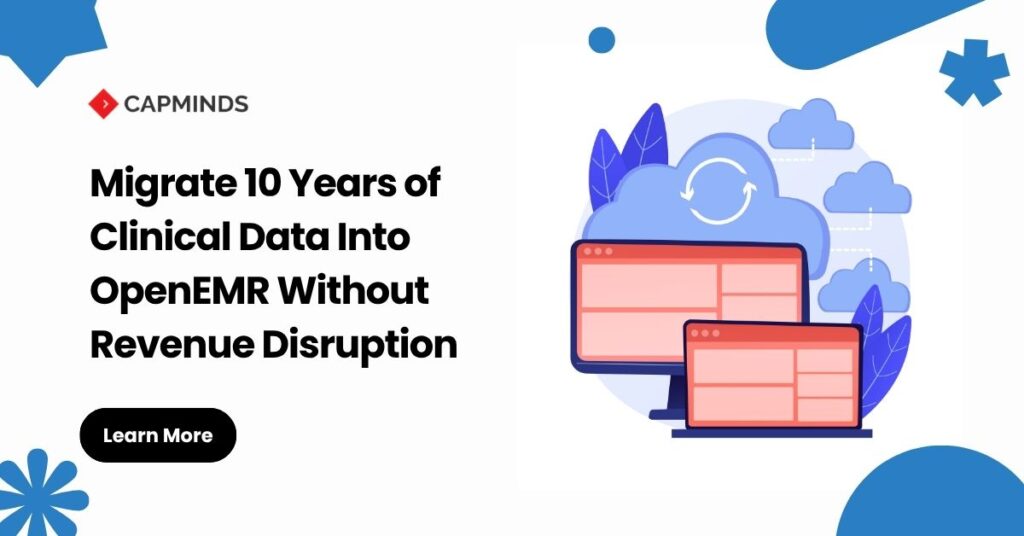
Migrating ten years of patient history into OpenEMR is not simply an EHR import project.
A practice can successfully move demographics, medications, diagnoses, laboratory results, and clinical notes, and still disrupt revenue if unbilled encounters, open claims, insurance configuration, payments, adjustments, or accounts receivable do not survive the cutover correctly.
The real migration therefore has two synchronized tracks:
Clinical continuity → Move the information clinicians need to safely continue care.
Revenue continuity → Preserve the financial state required to capture charges, submit claims, receive remittances, post payments, and work outstanding balances.
OpenEMR’s current EHI documentation reinforces why this distinction matters. Patient demographics, prescriptions, clinical issues, documents, procedures, billing records, claims, and accounts receivable are represented across related structures rather than one self-contained patient record.
A successful ten-year migration is not measured by how many records were imported.
It is measured by whether clinicians can trust the chart and the revenue cycle can continue without losing control of active claims or balances.
What Is a 10-Year OpenEMR Data Migration?
A ten-year OpenEMR migration is the controlled extraction, transformation, validation, transfer, and preservation of historical clinical and operational information from one or more legacy systems into an OpenEMR-based environment.
The source environment may contain patient demographics, insurance history, appointments, encounters, diagnoses, problems, medications, allergies, prescriptions, laboratory results, procedures, clinical notes, scanned documents, charges, claims, payments, adjustments, and outstanding A/R.
The critical architecture decision is not whether all ten years should be retained. It is determining how each data domain should be retained.
| Data Domain | Typical Migration Treatment |
| Patient demographics | Structured migration |
| Active allergies and problems | Structured migration |
| Active medications | Structured and validated |
| Current insurance | Structured migration |
| Recent encounters | Structured migration |
| Historical encounters | Structured, summarized, or archived based on requirements |
| Laboratory results | Structured when semantic mapping is reliable |
| Historical clinical notes | Native/structured where feasible; otherwise documents |
| Scanned records | Document migration |
| Open claims and A/R | Controlled financial cutover |
| Closed financial history | Archive or migrate based on retrieval requirements |
| Obsolete administrative data | Exclude only under an approved retention policy |
HIPAA does not itself establish a medical-record retention period.
HHS states that state law generally governs medical-record retention, while HIPAA safeguards continue to apply for as long as protected information is maintained.
Organizations must also consider any other applicable federal, contractual, payer, accreditation, or specialty-specific obligations before deciding what remains in OpenEMR versus a historical archive.
Why Revenue Continuity Changes the Migration Architecture
An EHR migration should not follow this model: Legacy EHR → Export → Import OpenEMR → Go Live
A revenue-safe architecture separates clinical and financial state:
Legacy Clinical Systems → Profiling → Mapping → Transformation → OpenEMR Clinical Record and, in parallel: Legacy PM/Billing → Open Revenue Classification → Financial Reconciliation → OpenEMR or Legacy Runout
The two streams converge only after validation. OpenEMR’s claim-ready encounter workflow demonstrates why. A valid claim depends on more than CPT and ICD information.
Patient demographics, insurance data, encounter information, providers, facility configuration, fee-sheet information, and clearinghouse/X12 requirements all participate in claims generation. That means moving clinical data successfully does not automatically make the target system financially ready.
11-Step OpenEMR Data Migration Process Without Revenue Disruption
Step 1: Inventory the Complete Source Environment
Do not begin with field mapping.
Begin by locating every source of clinical and financial truth.
A decade-old patient history may be distributed across the legacy EHR database, practice-management platform, document repository, lab interface, e-prescribing system, clearinghouse portal, specialty modules, imaging references, spreadsheets, and archived systems.
For each data domain, document:
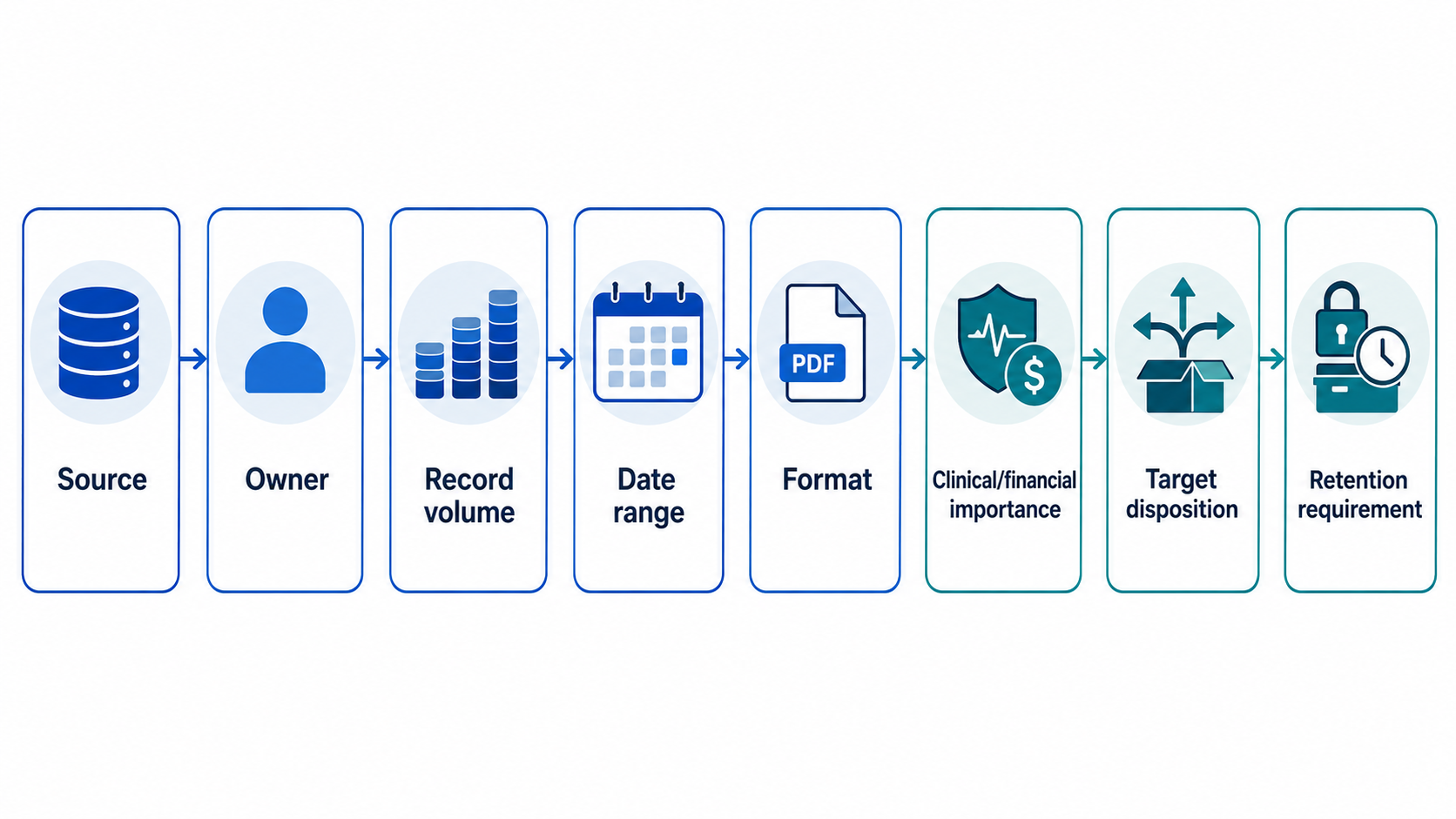
This prevents one of the most common migration failures: converting the visible EHR while discovering after go-live that important historical or financial information lived somewhere else.
Step 2: Map Meaning to the OpenEMR Data Model
Field names alone are not enough.
OpenEMR 8.3.0’s EHI documentation describes 153 tables and their relationships. Important migration domains include patient_data for core demographics, lists for patient issues such as allergies and medical problems, prescriptions for prescription information, documents for digital records, billing for billing-code records, claims for insurance claims, and ar_session for the payment ledger.
The same documentation provides relationship information and an insertion order for understanding data dependencies. It also warns that population exports may repeat supporting entities such as insurers, users, and list options, meaning population imports need duplicate checking rather than blind inserts.
A production migration specification should therefore follow this pattern:
Legacy field → Original meaning → Transformation rule → OpenEMR entity → Target meaning → Terminology mapping → Validation rule → Exception workflow
The goal is semantic preservation, not column matching.
Step 3: Build a Persistent Patient Identity Crosswalk
Do not match historical records using patient name alone.
ONC defines patient matching as linking records using multiple demographic attributes such as name, date of birth, phone number, and address. ONC also warns during health IT implementation about duplicate records, patient mix-ups, and commingled records.
Maintain a migration crosswalk such as:
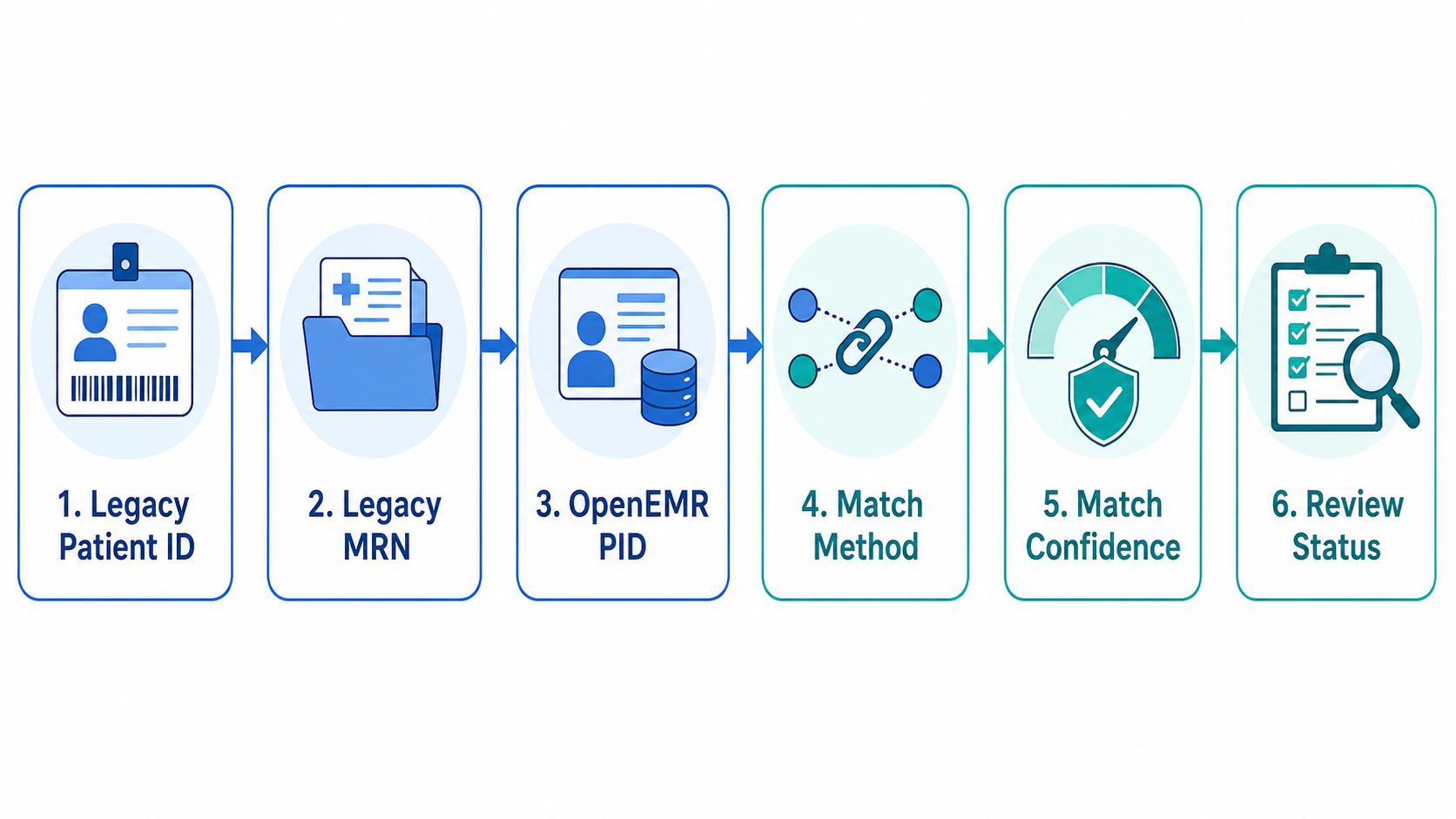
Ambiguous matches should move into manual review rather than being automatically merged.
Preserving legacy identifiers is also valuable for troubleshooting because post-migration discrepancies can then be traced directly to the original record.
Step 4: Normalize Clinical Data Without Rewriting History
Ten years of clinical history may contain local codes, deprecated codes, free-text medications, inconsistent units, renamed lab tests, and old terminology versions.
Normalize only when equivalence is defensible.
For medications, RxNorm provides normalized drug concepts based on attributes such as ingredient, strength, and dose form.
For laboratory and clinical observations, LOINC provides universal identifiers designed to make results understandable across different systems.
But migration is not an opportunity to guess.
A free-text historical medication should not automatically become an active coded prescription.
A locally named lab result should not be assigned a LOINC code unless its component, specimen/system, property, timing, scale, and method support the mapping.
When transformation is necessary, preserve enough provenance to determine what the legacy value originally contained.
What Could Get Missed During Your OpenEMR Migration?
Review the clinical and financial gaps that can surface when years of legacy data move between systems.
Step 5: Migrate Clinical Data in Risk-Based Waves
Do not load ten years of history into production as one uncontrolled batch.
Start with the information clinicians need immediately: Wave 1 → Patient identity, allergies, active medications, current problems, current insurance, and critical recent results
Then migrate: Wave 2 → Recent encounters, procedures, labs, notes, referrals, appointments, and operational history
Finally: Wave 3 → Older encounters, historical notes, inactive diagnoses, documents, and long-term history
This allows clinical reviewers to detect mapping problems before the same defect is repeated across millions of historical rows.
OpenEMR also documents C-CDA workflows for creating a patient from an incoming C-CDA or importing information into an existing patient’s record. C-CDA can therefore be one useful pathway for standardized clinical information. It should not, however, be assumed to reproduce every proprietary legacy note, specialty form, custom field, document, appointment, billing transaction, or financial state.
Step 6: Separate Historical Billing From Financially Active Work
This is the central revenue-protection step.
Before cutover, classify every financially active item by operational state:
Unbilled → Created but unsent → Submitted → Accepted → Pending adjudication → Rejected → Denied → Partially paid → Patient balance → Credit/unapplied payment
Do not automatically convert ten years of closed billing activity into active OpenEMR A/R.
Instead, define the population that still requires financial action.
A useful reconciliation control is:
Source Open A/R = Target Reconciled Open A/R + Documented Exceptions
Then reconcile at several levels:
Payer → Patient → Encounter/claim → Aging bucket → Balance/status
Do not rely on one grand-total A/R balance. Matching $2 million in aggregate does not prove that the correct $2 million is assigned to the correct patients and claims.
Closed financial history that is not converted should still have an approved retention and retrieval strategy. Not converted into active A/R must never automatically mean discarded.
Step 7: Give Every Open Claim One System of Record
During cutover, each open claim must have one, and only one, financial system of record.
Claims already transmitted from the legacy platform may be allowed to complete their lifecycle there while new dates of service begin in OpenEMR. This is often called a legacy claim runout strategy.
Alternatively, selected open financial items can be converted when the organization has a reliable way to reproduce and reconcile their complete financial context.
What should be avoided is an uncontrolled hybrid where the same claim can be acted on from both systems.
CMS identifies the X12 transactions used across Medicare FFS EDI workflows, including the 837 claim, 999 implementation acknowledgment, 277CA claim acknowledgment, 276/277 claim-status transactions, and 835 payment/remittance advice. Exact workflows can vary by payer, clearinghouse, and trading partner.
CMS also warns that duplicate claims can be rejected or denied. An already accepted claim should therefore not simply be resubmitted from OpenEMR to recreate its presence in the new system.
Step 8: Protect ERA Posting During Cutover
The 835 deserves special attention.
CMS identifies the X12 835 as the standard Medicare Electronic Remittance Advice and notes that remittance information can be automatically posted into billing applications.
OpenEMR’s payment documentation adds a critical migration-specific warning: when an ERA contains claims that are not present in OpenEMR, those claims are ignored during ERA posting.
That leads to an important cutover rule:
Do not route an 835 into the target OpenEMR payment workflow unless the claims that OpenEMR is expected to post against, and their financial context, exist and have been reconciled there.
If pre-cutover claims remain under legacy runout, their associated remittances should remain aligned with that financial system until the agreed transition process moves ownership.
Step 9: Validate Structure, Meaning, Clinical Safety, and Revenue
Record counts alone are not validation. A production migration needs four layers. Structural validation verifies required values, data types, dates, identifiers, relationships, and dependencies.
Semantic validation verifies diagnoses, medications, laboratory concepts, units, statuses, and other clinical meanings.
Clinical validation uses representative charts—including polypharmacy, complex allergies, long encounter histories, abnormal results, scanned records, and specialty workflows—to confirm that clinicians see the information they actually need.
Financial validation traces: Encounter → Charge → Claim → Payer → Claim state → Balance → Payment
ONC’s SAFER implementation guidance specifically emphasizes patient identification, configuration validation, testing, and attention to system integration during health IT implementation.
A chart that looks correct while its financial chain is broken is not a successful migration.
Step 10: Use a Controlled Final Delta
Historical data should be migrated while normal operations continue.
Define: T0 = Timestamp of the last validated migration extraction
At cutover, extract only data created or changed after T0: new patients, changed demographics, new encounters, notes, results, medications, insurance updates, appointments, charges, claims, and financial transactions that fall within the agreed conversion scope.
Design the delta-loading process to be idempotent wherever technically feasible.
Reprocessing an approved migration batch should not create duplicate patients, encounters, documents, charges, or other target records.
Use stable source identifiers, crosswalks, batch identifiers, migration timestamps, and reconciliation logs so each item can be traced and safely reprocessed when necessary.
Step 11: Protect Migration Data and Retain the Legacy Record
Migration staging environments are temporary, but the ePHI inside them is not exempt from HIPAA.
HHS requires regulated entities to protect the confidentiality, integrity, and availability of ePHI and maintain appropriate administrative, physical, and technical safeguards.
If an external migration partner creates, receives, maintains, or transmits PHI on behalf of the organization, determine the applicable business-associate relationship before transferring production data. HHS specifically identifies IT contractors and EHR vendors that access ePHI as examples of business associates, and applicable relationships require appropriate business associate agreements.
After go-live, maintain controlled access to the legacy environment or an approved historical archive until clinical, financial, legal, and retention obligations have been satisfied.
The migration audit trail should answer: What moved → Where it moved → What changed → What failed → Who reviewed it → How it was resolved
What Does a Successful OpenEMR Migration Actually Look Like?
The goal is not “10 years imported.”
The real success criteria appear the morning after go-live.
Clinicians can find the history they need. Patient identity is reliable. Schedulers continue working. New encounters generate the correct charges. Billers know exactly where every outstanding claim lives.
Remittances reach the system that owns those claims. A/R reconciles to the approved cutover baseline.
Historical information remains retrievable. Migration exceptions are visible, not silently buried.
That level of continuity requires more than an import utility.
It requires OpenEMR data-model knowledge, clinical informatics, ETL architecture, patient matching, terminology mapping, billing expertise, clearinghouse coordination, financial reconciliation, security controls, and disciplined production cutover planning.
Migrate to OpenEMR Without Putting Revenue at Risk
Ten years of data should not become ten years of migration risk.
CapMinds helps healthcare organizations plan and execute OpenEMR migrations across clinical data assessment, source-to-target mapping, historical record conversion, billing and A/R transition, migration validation, clearinghouse readiness, cutover planning, and post-go-live stabilization.
Before moving the first production record, establish what must become native OpenEMR data, what should remain archived, and which open financial workflows could put cash flow at risk during cutover.