Legacy Clinical Data Conversion Guide: SQL Backups, TIFF Documents, Metadata, Searchable Archives, and Target-EHR Loading
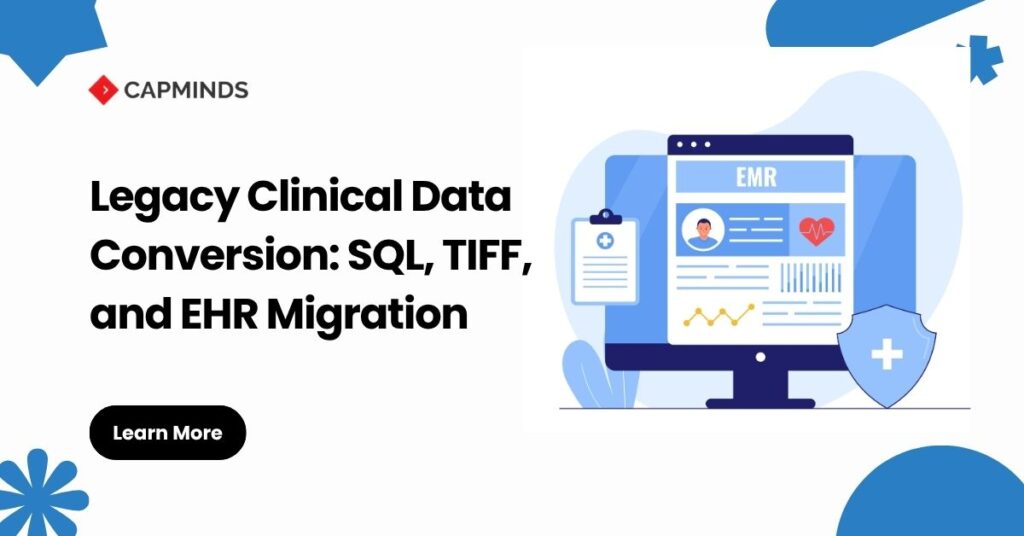
Legacy clinical data conversion is rarely a clean database-to-database transfer. A healthcare organization may receive a SQL Server backup, folders containing millions of TIFF images, spreadsheet crosswalks, proprietary document indexes, database BLOBs, and incomplete vendor documentation.
The primary risk is not simply losing records. It is moving data without preserving its clinical meaning, patient identity, provenance, document relationships, access restrictions, or legal value.
Health IT Modules certified to the ONC § 170.315(b)(10) EHI Export criterion must support single-patient and patient-population exports in electronic, computable formats. However, an EHI export is not automatically a target-EHR import package. The receiving platform still determines which files, resources, interfaces, code systems, and write operations it supports.
A defensible conversion normally sends data to two destinations:
- Clinically active information loaded into the target EHR.
- Historical information retained in a secure, searchable clinical archive.
Legacy Clinical Data Conversion Architecture
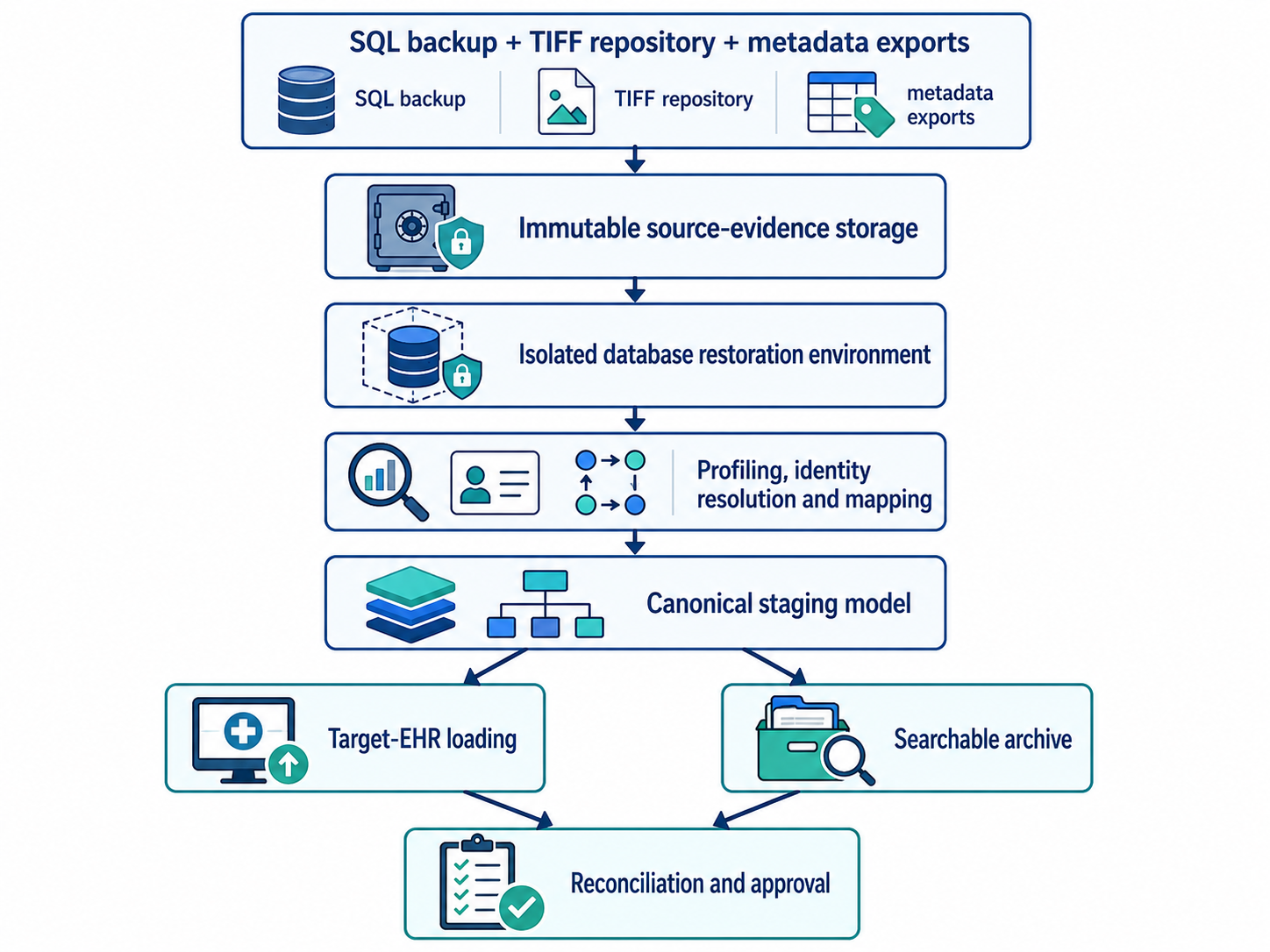
The original backup files and documents should remain unchanged.
Extraction and transformation should operate on controlled working copies so every converted record can be traced back to its source table, primary key, file, and extraction batch.
Step 1: Define the Conversion and Archive Scope
Start with a data-disposition matrix rather than attempting to migrate everything into the live EHR.
| Clinical domain | Typical disposition |
| Active allergies | Discrete target-EHR load |
| Current medications | Discrete target-EHR load |
| Active problem list | Discrete target-EHR load |
| Recent laboratory results | Discrete load or clinical document |
| Historical progress notes | Document repository or archive |
| Scanned TIFF records | Archive or supported document load |
| Audit records | Compliance archive |
| Obsolete configuration data | Retain only when required |
Disposition should be based on clinical use, continuity-of-care requirements, target-system capability, legal holds, organizational policy, and applicable retention requirements.
HIPAA does not establish a universal medical-record retention period. State laws and other applicable requirements generally determine how long medical records must be retained, while HIPAA safeguards continue to apply for as long as protected information is maintained.
Step 2: Preserve and Restore SQL Backups Safely
A SQL Server .bak file is source evidence, not a documented clinical model. It may include active records, deleted rows, audit tables, custom functions, document pointers, stored procedures, and proprietary clinical codes.
Keep the received backup in immutable or tightly controlled storage and record:
- Source organization and system
- Database engine and expected version
- Acquisition date
- File size
- SHA-256 checksum
- Chain-of-custody information
- Encryption and password requirements
Restore the database only inside an isolated conversion environment. Microsoft warns that an untrusted backup can contain malicious database objects or altered structures. It recommends restoring unknown databases on a nonproduction server, running DBCC CHECKDB, and reviewing stored procedures and other user-defined code.
The isolated environment should have restricted service accounts, no linked production servers, limited outbound connectivity, separate credentials, and logged administrator access.
A small amount of SQL is useful for validation:
RESTORE VERIFYONLY
FROM DISK = 'D:\Legacy\LegacyEHR.bak';

DBCC CHECKDB ('LegacyEHR_Conversion')
WITH NO_INFOMSGS;
RESTORE VERIFYONLY checks backup readability but does not prove that the clinical data is complete or usable. The team must perform a complete test restore before beginning conversion analysis.
Step 3: Reverse-Engineer the Legacy Data Model
Do not infer clinical meaning from table names alone. A table called PATIENT may contain registration data, while the authoritative identity may live in an enterprise index or account table.
Profile the database for:
- Patient and identifier tables
- Encounter, episode, and account relationships
- Provider and facility dictionaries
- Diagnoses, allergies, medications, and results
- Notes and document indexes
- BLOB columns
- File-system paths
- Patient merge and unmerge history
- Amendments and corrected documents
- Deleted, inactive, and superseded records
- Custom terminology dictionaries
- Date, time-zone, and audit fields
Create a source data dictionary documenting the business meaning, data type, null behavior, relationships, record counts, date range, and known anomalies for each conversion field.
Step 4: Build a Canonical Staging Layer
Avoid direct source-table-to-target-table mapping. First transform the source into a canonical staging model. Typical entities include:
- Patient
- PatientIdentifier
- Encounter
- Practitioner
- Organization
- Allergy
- Medication
- Diagnosis
- Observation
- Procedure
- ClinicalDocument
- DocumentVersion
- Provenance
- ConversionException
Every staged record should preserve:
source_system
source_database
source_table
source_primary_key
extraction_batch
original_value
normalized_value
mapping_version
target_identifier
load_status
This staging layer separates legacy-system interpretation from target-EHR rules. It also supports repeatable testing, archive creation, reconciliation, and reruns.
Step 5: Resolve Patient Identity Before Loading Data
Do not match records using MRN alone.
Different facilities may use different assigning authorities, and historical systems may contain duplicate patients, aliases, temporary identifiers, overlays, and prior patient merges.
ONC’s SAFER Patient Identification guidance recommends using an enterprise master patient index before importing data. It also recommends flagging uncertain matches for manual review and maintaining controls to prevent duplicate and commingled records.
A patient crosswalk should preserve:
- Legacy MRN
- MRN assigning authority
- Enterprise patient identifier
- Target-EHR identifier
- Previous and merged identifiers
- Match method
- Match confidence
- Manual-review decision
- Reviewer and approval timestamp
Clinical documents should not enter the target EHR or archive until their patient association has passed the approved identity-resolution process.
Step 6: Preserve TIFF Documents and Create Searchable Derivatives
Do not overwrite original TIFF files with OCR-generated PDFs. Use three document layers:
Original source file
Retain the TIFF exactly as received. Store its original filename, path, file size, page sequence, MIME type, and checksum.
Preservation or normalized copy
Where normalization is necessary, create a separately identified lossless copy. Never replace the original source bitstream.
Access and OCR derivatives
Create a viewer-compatible PDF, PDF/A, thumbnail, or searchable derivative when required. OCR output should support discovery but must not be treated as authoritative signed clinical text.
FADGI is not a healthcare regulation. It is an informative digitization framework developed for cultural heritage imaging. However, its distinction between master files and derivatives, its versioning model, and its quality-control practices provide a useful preservation framework for scanned clinical records. FADGI recommends linking derivatives back to master files and maintaining documented quality assurance across files, metadata, storage, and data integrity.
Generate and retain a checksum for each master and derivative. A new checksum after format conversion does not prove equivalence to the original; it identifies the new object and supports later fixity testing.
Step 7: Design Clinical Document Metadata
A scanned file without context is not a clinically usable record. At minimum, preserve:
- Legacy and target patient identifiers
- Encounter, visit, account, and facility identifiers
- Document type and category
- Service date
- Creation, signed, and ingestion dates
- Author and signing provider
- Department and practice setting
- Original filename and MIME type
- Page count and page order
- Source system
- OCR status and confidence
- Confidentiality classification
- Version, amendment, and replacement relationships
- File checksum
- Conversion batch and load status
FHIR R4 DocumentReference can represent substantial document metadata and can reference scanned files, PDFs, TIFF images, and other binary content.
However, it will not necessarily cover every preservation or operational field. Additional information may require a constrained profile, approved extensions, Provenance resources, or an external archive metadata repository.
Step 8: Build a Secure, Searchable Clinical Archive
OCR alone does not create a usable archive. The archive should support:
- Exact patient and identifier lookup
- Encounter and service-date filters
- Document-type, provider, and facility filters
- OCR full-text search
- Page-level preview
- Version and amendment history
- Patient-level and document-level authorization
- Restricted-record controls
- Immutable access auditing
- Export for patient, legal, and operational requests
- Retrieval of the preservation master
Access controls must account for HIPAA, applicable state privacy requirements, organizational confidentiality classifications, legal holds, and specially protected records.
Where 42 CFR Part 2 applies, the archive must preserve appropriate controls for substance-use-disorder records and their permitted uses and disclosures.
Step 9: Load Through Target-EHR-Supported Interfaces
Do not write directly to the target EHR database unless the vendor explicitly provides and supports that method. Approved loading paths may include:
- Vendor conversion utilities
- Vendor-approved files
- HL7 v2 interfaces
- C-CDA ingestion
- FHIR REST operations
- FHIR transaction bundles
- DocumentReference and Binary
- Document-management interfaces
FHIR capability is implementation-specific.
Review the target server’s CapabilityStatement, supported profiles, required fields, terminology bindings, transaction behavior, file-size limits, and document-ingestion rules before designing the load.
Use source-to-target crosswalks and idempotency controls so a retried batch cannot create duplicate patients, encounters, or documents.
Step 10: Plan Baseline, Delta, and Cutover Loads
A baseline extraction becomes outdated as soon as users continue documenting in the legacy system.
The cutover plan should include:
- Baseline extraction
- Trial conversion
- Defect remediation
- Repeatable delta-extraction logic
- Final source-system freeze
- Final delta load
- Reconciliation
- Go-live approval
- Read-only legacy or archive access
- Controlled decommissioning
Delta logic may use trusted modified timestamps, transaction logs, change-data-capture mechanisms, audit tables, or vendor-supported extracts. The selected method must capture new records, updates, corrections, cancellations, patient merges, and document replacements.
Step 11: Validate Clinical Meaning, Not Just Record Counts
A successful API response does not prove a safe conversion. Validate:
- Patient and encounter counts
- Document and page counts
- File checksums
- Missing and orphaned records
- Patient merge outcomes
- Duplicate target records
- Medication dose, unit, route, and status
- Allergy substance, reaction, and severity
- Laboratory value, unit, reference range, and abnormal flag
- Diagnosis status and onset date
- Document author, signature, and amendment status
- Time-zone and daylight-saving conversions
- Original and mapped terminology values
- Archive search precision and recall
- Authorization leakage
- Backup restoration and disaster recovery
Clinicians and health-information-management staff should review representative high-risk records before final approval.
The legacy platform should not be decommissioned until technical reconciliation, clinical validation, archive access, retention controls, and rollback procedures have been accepted.
CapMinds Legacy Clinical Data Conversion Services
Legacy conversion requires more than moving SQL rows and document folders.
It combines database forensics, clinical informatics, identity resolution, document preservation, interoperability engineering, security, and cutover management.
CapMinds supports healthcare organizations with:
- SQL backup restoration and schema analysis
- Legacy clinical data profiling
- Patient and provider identity crosswalks
- TIFF and scanned-document preservation
- OCR and searchable clinical archive development
- Metadata and provenance architecture
- HL7, FHIR, C-CDA, and document integration
- Target-EHR loading and exception management
- Baseline, delta, and cutover planning
- Clinical data validation and post-load reconciliation
Talk to the CapMinds EHR Migration Team to assess your SQL backups, document repositories, archive requirements, and target-EHR loading risks before the first production record moves.