How to Conduct a HIPAA Security Risk Assessment (SRA) for Large Systems
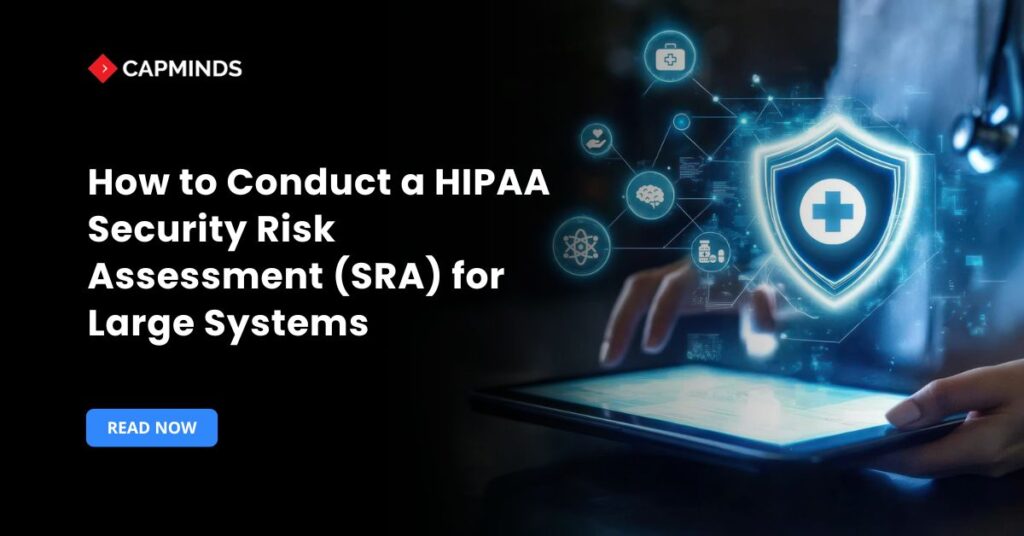
A fundamental need for safeguarding patient data in the cloud is carrying out a HIPAA Security Risk Assessment. A comprehensive risk analysis of ePHI in every setting is expressly required by the HIPAA Security Rule. This procedure has special difficulties for large-scale cloud-based healthcare systems, from controlling new cyberthreats brought about by cloud services to sharing accountability with cloud providers. Fortunately, compliance may be made easier and security strengthened by employing well-established frameworks and a methodical approach.
Healthcare IT specialists, IT purchasers, and hospital administrators/executives can use the following detailed checklist to methodically evaluate and reduce risks in cloud systems. To keep your cloud systems safe and compliant with HIPAA, each stage offers tools, best practices, and clear, doable responsibilities.
Related: HIPAA Compliance: 5 Rules You Need to Know
Step 1: Define Scope and Inventory ePHI in the Cloud
Start by determining whether your cloud infrastructure’s systems and data are covered by HIPAA. Before you can evaluate risks, you must have a comprehensive understanding of where ePHI is transferred, processed, and stored.
Inventory all cloud assets handling ePHI
Identify all cloud services, accounts, databases, storage buckets, applications, and servers that generate, receive, store, or send ePHI. Virtual computers, SaaS apps, container platforms, backups, and even development/test environments where actual patient data may be stored fall under this category. If medical equipment and on-premise systems are connected to your cloud, include them.
Map data flows end-to-end
Keep track of all the ePHI that passes through your system, including patient intake, cloud-based EHR systems, analytics platforms, APIs and connections, and any external partners.
Every point at which PHI enters or exits the cloud, including uploads, transfers across microservices, and user downloads, may be seen with the use of a data flow diagram. Don’t ignore unapproved cloud tools or shadow IT that may handle PHI without official authorization.
Classify and locate the data
Sort ePHI by sensitivity for each system or dataset and record any locale or residency criteria. For instance, certain data may need to remain in particular areas for compliance, and extremely sensitive records may require additional safeguards. To make sure you comply with regional or legal restrictions on health data, keep track of where each type of ePHI is kept or duplicated.
Catalog third-party services and BAs
Make a list of all vendors, business associates, or partners that have access to your ePHI. In a cloud context, this includes your cloud service provider itself and any subcontractors it uses, as well as SaaS vendors for things like billing, telehealth, or data analytics. Each of these will need to be included in your risk assessment and managed via agreements.
Step 2: Establish Governance and Shared Responsibility
Establish the agreements and governance framework that will underpin your cloud risk management program before delving into technical controls. Large healthcare organizations should formalize roles and ensure cloud vendors are contractually obligated to protect ePHI.
Appoint a Security Officer and define roles
HIPAA requires designating a security official. Identify who in your organization is responsible for the overall security program. Define supporting roles too – for example, a privacy officer, compliance manager, cloud engineering lead, etc., who will collaborate on the risk assessment. Clear ownership is critical for accountability.
Document the cloud shared responsibility model
On cloud platforms, you are in charge of some security controls, and the supplier is in charge of others. Make paperwork outlining the responsibilities of your team and the cloud provider. This ensures you cover all safeguards without assumptions. For example, while the CSP secures the building and hardware, your team must securely configure virtual networks and storage.
Execute Business Associate Agreements
Ensure you have a signed BAA with every cloud provider or vendor that handles PHI. Under HIPAA, cloud service providers are considered business associates by law when they store or process ePHI.
The BAA contract should outline each party’s responsibilities for protecting the data, including uses and disclosures, breach notification procedures, and liability. This is non-negotiable – a cloud vendor must agree to HIPAA security obligations via a BAA, even if they claim to never access the data.
Review vendor compliance and security measures
As part of governance, perform due diligence on your cloud providers. Request and review their compliance attestations or certifications.
- Many major CSPs publish HIPAA compliance guides and offer audit reports under NDA.
- Leverage these to verify that the provider’s physical and technical safeguards meet HIPAA standards.
- For example, confirm that the CSP’s data centers have proper facility controls and that they maintain required audit logs – you will need this assurance for your risk analysis.
Include availability and incident response in contracts
High availability is necessary for large-scale healthcare systems. Verify that service level agreements with cloud providers ensure that ePHI systems have sufficient uptime and disaster recovery. Indicate expectations for redundancy, backup, and breach response assistance. In this manner, your CSP complies with HIPAA’s availability and contingency planning standards by contractually agreeing to support investigations or outages.
Step 3: Assess Security Controls and Identify Gaps
Now assess your present security measures and compare them to industry best practices and HIPAA regulations. In essence, this step is a gap analysis of your technical, administrative, and physical controls; for consistency and completeness, it should be driven by established security frameworks.
Cover all HIPAA safeguard categories
Structure your assessment around the HIPAA Security Rule’s main areas – Administrative Safeguards, Physical Safeguards, and Technical Safeguards. Using these categories as a checklist basis ensures you address every required and addressable implementation specification in the rule.
Leverage established frameworks
To benchmark your cloud environment, select a security control framework.
- The standard guide for healthcare that links HIPAA regulations to particular controls is NIST SP 800-66r2.
- For a high-level framework, you might alternatively consider NIST SP 800-53 or the NIST Cybersecurity Framework.
- Another well-liked option is the HITRUST CSF, which combines ISO, NIST, HIPAA, and other standards into a framework that may be certified.
- Whichever you pick, it will provide a detailed checklist of controls.
- For instance, HITRUST incorporates HIPAA-compliant controls for cloud settings, encryption, and monitoring.
You can methodically evaluate every control area and make sure no significant security domain is missed by employing a framework.
Evaluate control implementation and effectiveness
Gather information on how each safeguard is implemented. This may involve interviews and questionnaires for process controls, as well as technical testing for security configurations.
For each control in your framework, ask:
- Do we have this control?
- Is it formally documented in policy?
- Is it actually implemented and operating as intended?
To conduct these evaluations, use systematic techniques such as staff interviews, configuration audits, and policy/documentation reviews. For instance, make sure your databases are encrypted, your team training records are current, and your cloud password policy satisfies complexity requirements.
Collect evidence of compliance
As you assess, compile evidence for each control. These could include logs from security tools, documentation of policies and procedures, training completion certificates, or screenshots of cloud configuration settings. In addition to confirming your conclusions, evidence is essential for future audits and HITRUST certification.
Identify gaps and weaknesses
A gap that could result in risk is any control that is absent, poorly executed, or ineffective.
- Maybe you discover that while you require MFA for your main cloud console, some third-party apps with PHI don’t have MFA.
- Or perhaps your audit logging is turned on, but no one is reviewing the logs regularly – a process gap. Document these gaps.
- Pay special attention to cloud-specific controls: for instance, are all storage buckets properly configured as private?
- Are default cloud security group settings too permissive?
- Do you not manage your own keys and instead rely on the default encryption provided by the cloud provider?
- Each identified gap will feed into the risk analysis.
Assess third-party and vendor controls
Include your cloud providers and other vendors in this control review. Make sure the security measures the CSP claims to have fit your demands by checking their documentation or contracts.
Get the reports from any vendor audits (such as FedRAMP or SOC 2 Type II) and search for any identified flaws that might have an impact on your ePHI. Since your patients’ data is stored in a vendor’s cloud-based EHR, evaluate their access controls and policies as well. Your third-party risk management, which is essential in cloud environments, includes this comprehensive evaluation.
Step 4: Conduct a Thorough Risk Analysis
With an inventory of assets and a list of gaps or vulnerabilities, perform the formal risk analysis. Analyzing possible risks to ePHI and assessing the possibility and consequences of those risks materializing is the core of HIPAA’s Security Rule. Risk analysis in a cloud setting needs to take into consideration both cloud-specific situations and conventional IT concerns.
Identify threats and vulnerabilities
Make a list of potential problems for every asset or data flow that manages ePHI. Take into account both operational and natural dangers as well as human threats.
Misconfigured cloud resources, compromised credentials, abuse of privileges, unsecured APIs or integrations, malware that exfiltrates data, and denial-of-service assaults are prevalent danger scenarios in cloud systems. Combine these dangers with the weaknesses or holes found in Step 3.
- For example, if you found a gap like “lack of encryption on a database,” the threat could be an attacker stealing data from that database or a cloud admin improperly accessing it.
- If multi-factor auth isn’t enforced everywhere, the threat is that an attacker could breach an account via stolen passwords. List out these threat-vulnerability pairs for analysis.
Estimate likelihood and impact
Evaluate each indicated risk scenario’s likelihood of happening and the severity of the consequences if it did. Make use of a risk analysis technique like NIST SP 800-30 to make sure you systematically take into account every aspect. Likelihood can depend on things like past incident frequency, known exploit trends, or ease of exploitation.
Impact should be evaluated in terms of confidentiality, integrity, and availability effects on your organization and patients. For example, a ransomware attack on a cloud EHR could have a high impact due to care disruption and breach costs.
Assign risk ratings
Using the likelihood and impact, assign a risk level or a numeric score to each risk. This could be done via a risk matrix or any standardized model your organization adopts. The key is consistency – apply the same criteria across all risks. You might rate a misconfigured firewall allowing broad access as High risk, whereas a local clinic workstation theft might be Medium if the data on it is encrypted.
Document risks in a register
To record each detected risk with specifics, establish a centralized risk register. Describe the risk, the assets that are impacted, the source of the threat, the vulnerability or control gap that has been found, and the initial risk evaluation. Also note the risk owner and a potential mitigation strategy if known. This register becomes your single source of truth for managing risks.
Determine risk disposition
As you document each risk, start thinking about the appropriate risk response – will you mitigate it, accept it, transfer it, or avoid it? HIPAA expects that unreasonable risks will be mitigated or reduced to a reasonable level, so most high and medium risks will need treatment.
If the cost of mitigation is greater than the benefit, some low risks might be accepted. For instance, you might temporarily accept the risk if a legacy system has little risk and will be discontinued in a month. Formalize the preliminary choice in the following step after marking it in the register.
Related: How to Conduct a HIPAA Risk Assessment (and Why It’s Essential)
Step 5: Prioritize and Implement Risk Mitigation
Once you have a comprehensive understanding of your risks, the following step is to reduce them to a manageable level. To lessen the possibility or impact of unfavorable events, this entails giving priority to the risks that pose the greatest threat and implementing the appropriate safeguards (technical or administrative controls). This is basically where you use the results to strengthen your cloud environment.
Prioritize remediation efforts
Since not all dangers are created equal, prioritize addressing the most hazardous ones. High-severity risks should be handled right away, especially those that have simple solutions.
- For instance, protecting an open cloud storage bucket with ePHI ought to be your priority.
- Create a remediation roadmap that lists risks in order and sets target dates – this helps communicate to executives why certain projects are urgent.
Develop a mitigation plan for each risk
Choose and design the control measure to be used for each major risk. Technical controls, process modifications, or both can be used as mitigations. Record a timeframe, the team in charge, and the intended solution.
- For example, “Implement multi-factor authentication on all cloud admin accounts within 60 days, assigned to the IT Security team” may be the strategy if the risk is “user account compromise due to lack of MFA.”
- “Adopt a regular patch management schedule and automated updates via the cloud provider’s tooling” could be one way to mitigate the risk of “unpatched server vulnerabilities.”
- Accountability is ensured by a stated strategy.
Implement technical safeguards
Use best-in-class tools and cloud-native security capabilities to implement the intended technical changes. Common risk mitigations in cloud healthcare systems include:
- Enabling multi-factor authentication and unique user IDs for every login
- Tightening identity and access management
- Encrypting data both in transit and at rest using robust protocols
- Segmenting networks and firewall rules to isolate sensitive systems
- Deploying intrusion detection or continuous cloud security posture management tools, and
- Implementing strict backup and recovery procedures.
For example, mitigate a “data interception” risk by enforcing TLS 1.2+ for all APIs and using a VPN for administrative access. Mitigate “cloud misconfigurations” by using automated configuration scanning (perhaps guided by CIS Benchmarks for cloud). Each implemented control should directly address the identified gap or vulnerability.
Strengthen administrative and procedural controls
Not all mitigations are technical. You may need to update or create policies or improve training. If a risk stems from human error, mitigation might involve additional staff training on secure cloud configurations or instituting a change management process that catches misconfigurations.
Ensure that security awareness training covers cloud-specific issues and that staff are regularly reminded of their responsibilities in handling ePHI.
Use frameworks as a guide for new controls
Revisit the frameworks from Step 3 to inform what controls to implement.
- For example, NIST 800-53 or HITRUST CSF will have recommended controls for most situations.
- If you found gaps relative to those frameworks, closing those gaps will inherently mitigate risks.
- For instance, HITRUST might require audit logging, if that were missing, implementing a centralized logging and monitoring solution would both fulfill a framework control and reduce the risk of undetected breaches.
Validate and document the fixes
Once you implement a mitigation, test it to ensure it’s effective. If you configured encryption, verify that data is indeed encrypted. If you enabled MFA, maybe perform a simulated login attempt without MFA to confirm it’s enforced.
Collect evidence of each change and update the risk register: mark risks as mitigated or reduced, and note any residual risk that remains after the fixes. This documentation will be important for audits and for informing future reviews.
Step 6: Maintain Continuous Monitoring and Compliance
A HIPAA risk assessment is not a one-time project – especially in the dynamic world of cloud computing. Threats evolve, systems change, and new vulnerabilities emerge regularly.
Establish a cycle of continuous monitoring, regular reviews, and updates to ensure ongoing compliance and improvement of your security posture.
Reassess and update regularly
Schedule risk assessment updates at least annually, as well as whenever there are major changes. Major changes include deploying new cloud services or architectures, significant updates/upgrades, mergers or partnerships that introduce new data flows, or security incidents/breaches.
An annual HIPAA risk assessment is considered a best practice and is often expected by auditors. By reviewing on a set cadence, you catch new risks and verify that previously mitigated risks haven’t resurfaced.
Continuously monitor the cloud environment
Implement continuous monitoring tools and processes to get real-time or regular alerts on security events. In cloud systems, you can use cloud provider services or third-party Cloud Security Posture Management solutions to automatically detect issues like misconfigurations, unusual login attempts, or missing patches.
Monitoring should cover audit logs, network traffic, user access patterns, and system performance. Alerts for critical events enable you to respond quickly and prevent incidents. Essentially, treat security as an ongoing process – maintain an operational dashboard of your cloud security health.
Test incident response and contingency plans
Regularly exercising your incident response plan and disaster recovery plan is key to cloud resilience. Conduct drills or table-top exercises for scenarios like a cloud data breach or a ransomware attack affecting your cloud data backups.
Ensure that your team knows how to isolate incidents in the cloud and how to collect forensic evidence from cloud logs. Likewise, test data restore procedures from cloud backups to verify that your RPO/RTO can be met. Any lessons learned should feed back into updating your plans and possibly new risk mitigation tasks.
Maintain policies, training, and awareness
Keep your security policies and procedures living documents – review them at least annually or when regulations change. As cloud technology evolves, update policies to cover new services or deployment models. Continue to train your workforce on HIPAA and cybersecurity best practices.
Given staff turnover and evolving threat tactics, regular training helps maintain a security-aware culture. Make sure to include cloud-specific guidance in training. Monitor training compliance and address any gaps.
Perform periodic compliance audits
Consider having an internal audit or a third-party audit of your HIPAA security controls in the cloud. An independent review can validate that your risk assessment process is effective and that controls are truly in place. This could be part of a HITRUST assessment or a separate IT audit.
Also, audit your vendors – under the BAAs, you should ensure that business associates are living up to their security commitments. This might involve reviewing their audit reports annually or sending them security questionnaires to update their risk profile.
Retain documentation and evidence
HIPAA requires you to retain security documentation for at least six years. Maintain organized records of your risk assessment reports, risk register, remediation plans, policies, training logs, BAA contracts, and any audit results. Use a secure repository with access controls to store this evidence.
Being able to quickly retrieve risk assessment documentation and show a history of improvements will be invaluable during any compliance audit or investigation.
- For example, if OCR investigates a breach, you will need to present your last risk analysis and what mitigation steps were taken.
- Keeping an audit-ready trail of documents with version history and approvals (who signed off on what) demonstrates due diligence and accountability.
Related: Why Every Hospital Needs FedRAMP & HIPAA-Compliant Cloud Security in 2025
CapMinds HIPAA Service: Strengthen Security, Reduce Risk, and Stay Audit-Ready
Large healthcare systems cannot afford gaps in their HIPAA Security Risk Assessment process, especially as cloud workloads expand and threats evolve.
CapMinds delivers a comprehensive HIPAA SRA service designed to help healthcare organizations operationalize compliance, close technical and administrative gaps, and build a continuously resilient security posture across cloud and hybrid environments.
CapMinds supports your organization by addressing critical SRA needs end-to-end, including:
- Cloud security audits for AWS, Azure, and GCP
- ePHI data flow mapping, classification, and governance
- HIPAA safeguard evaluation across administrative, physical, and technical domains
- Risk identification, scoring, and remediation roadmap development
- Implementation support for encryption, IAM hardening, MFA, logging, and backup controls
- Continuous monitoring, compliance reviews, and documentation management
With CapMinds, you gain a long-term security partner who ensures your environment remains compliant, optimized, and prepared for external audits, HITRUST readiness, and future cloud expansion.
Our team translates HIPAA requirements into practical, scalable controls that protect your systems and safeguard your patients.