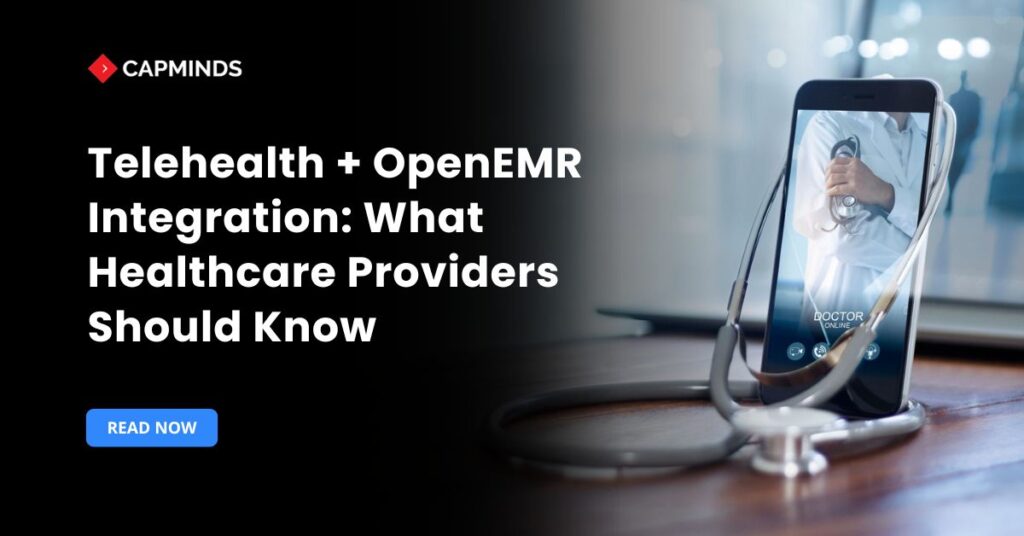
OpenEMR Telehealth Integration: What Healthcare Providers Need to Know
Electronic medical records are now required for the delivery of modern healthcare. OpenEMR differentiates itself from other EMR options on the market due to its versatility, scalability, and ability to integrate third-party tools. Telehealth integration is one of the most significant advancements because it allows providers to provide remote care while maintaining data confidentiality and clinical effectiveness. Integrating OpenEMR with telehealth technologies allows practices to expand accessibility, optimize workflows, and improve overall care quality. Understanding how telehealth integration works is critical, whether you manage a clinic or a multi-location practice. This tutorial explains all you need to know.
What Is OpenEMR and Why Is It Used for Telehealth?
OpenEMR is a popular open-source electronic medical records system. It allows you to manage and store all patients’ medical records securely. Health records include patient demographics, immunization, medications, health records, lab results, treatment plans, clinical notes, and medical history.
By having comprehensive patient information in a centralized place, healthcare providers can easily access patient information anytime within a few clicks, even during emergency times, it helps.
OpenEMR benefits healthcare practices in many ways:
- OpenEMR is a free open-source electronic medical record system.
- It can be customized and scaled to suit the needs of your practice.
- It ensures the security and privacy of patient data by being HIPAA-compliant.
- OpenEMR offers helpful features for scheduling patient appointments and managing calendars.
- It streamlines the process of documenting and charting clinical information efficiently.
- The system supports e-prescribing and managing medications for your patients.
- OpenEMR can integrate with billing systems to assist with revenue cycle management.
- An active community provides support and regular updates for the software.
OpenEMR has various features and functionalities that make it the best option. Moreover, its active and vibrant community makes it the most popular EMR system.
Related: What Is OpenEMR? The Beginner’s Guide for Healthcare Practices
What Is Telehealth and Why Does It Matter for Modern Healthcare?
Telehealth is used to provide virtual healthcare for patients conveniently from home. It utilizes various communication channels such as video conferencing, messaging, and phone calls for a health consultation.
Most people prefer convenient care from home to visiting healthcare facilities during COVID-19. That’s when Telehealth brought the solution and gained popularity.
It becomes a solution for most of the challenges for patients with limited mobility, rural area patients, and those with limited transportation. Moreover, telehealth solutions are more cost-effective than in-person health consultations. Telehealth offers various advantages:
- Increased access to care for rural areas.
- Saves time and travel costs.
- Convenient for those with mobility issues.
- Enables remote monitoring of chronic conditions.
- Promotes patient engagement and adherence.
- Expand the reach of specialist care.
- Facilitates post-hospital follow-up care.
- Maintains continuity of care across locations.
Best OpenEMR Telehealth Integration Methods
Healthcare organizations have several ways to combine telehealth with OpenEMR.
Broadly, they can use OpenEMR’s native telehealth module, hook up a third-party video platform via API or links, or build custom integrations using interoperability standards and open-source video tools. Each approach has pros and cons:
Using the Comlink Telehealth Module in OpenEMR
OpenEMR 7.x includes the Comlink module for secure video visits.
- It is fully embedded in the workflow (appointments, patient records, patient portal) and requires minimal development to enable.
- Comlink handles session scheduling, encrypted video streaming, and patient invites automatically.
- However, it is a subscription service and relies on the Comlink vendor infrastructure.
Integrating HIPAA-Compliant Video Platforms with OpenEMR
Many clinics use popular teleconference tools under a HIPAA-compliant plan.
- These can be integrated by generating meeting URLs and embedding them in OpenEMR appointments or patient portal links.
- This leverages robust, familiar software and may be cheaper for small practices.
- But it often requires custom work: obtaining API credentials, writing integration code, and possibly managing scheduling sync.
- Workflows can feel “bolt-on” if not carefully designed.
Open-Source and WebRTC Telehealth Solutions for OpenEMR
- Clinics can host or embed open-source video systems to avoid vendor lock-in and licensing costs.
- This allows full control.
- On the downside, it demands substantial IT effort: setting up servers, ensuring scalability, and linking sessions to OpenEMR appointments.
FHIR, APIs, and Standards for OpenEMR Telehealth Integration
Rather than tightly linking video features, this solution connects OpenEMR with telehealth providers via health data standards.
- For example, HL7 messages or FHIR APIs can be used to send scheduling or encounter data between systems (OpenEMR v7+ includes FHIR endpoints for Patients, Encounters, and so on).
- Telehealth platforms consume these messages to automate visit setup and post-visit data exchange.
- This method is flexible and future-proof, but requires advanced integration work.
Related: 8 Reasons Why CapMinds is the Best Partner for OpenEMR
Comlink vs. Custom WebRTC vs. Third-Party Platforms: Which Is Best?
The integration of OpenEMR telehealth varies by the degree to which the virtual visit needs to integrate with the current clinical workflows, the technical control desired by the organization, and the deployment timelines.
Comlink provides an OpenEMR-focused workflow, custom WebRTC offers maximum flexibility, and third-party platforms provide mature telehealth capabilities with less internal development.
|
Option |
Key advantages |
Main considerations |
Best suited for |
|
Comlink Telehealth Module |
Connects telehealth appointments with the OpenEMR calendar, patient records, encounters, invitations, and clinical documentation |
Requires compatible OpenEMR versions, module configuration, subscription credentials, and ongoing vendor support |
Practices seeking a straightforward, closely integrated OpenEMR telehealth workflow |
|
Custom WebRTC Integration |
Provides control over interface, branding, hosting, patient journey, workflows, and data exchange |
Requires development of signaling, authentication, STUN/TURN services, security controls, monitoring, browser testing, and technical support |
Healthcare organizations with specialized workflows, strong development resources, or data-hosting requirements |
|
Third-Party Telehealth Platform |
Offers established video infrastructure, mobile support, waiting rooms, scheduling features, analytics, and vendor-managed updates |
Integration depth varies; organizations must evaluate APIs, workflow fit, data handling, subscription costs, security controls, and Business Associate Agreement availability |
Practices needing rapid deployment, scalability, or advanced virtual-care features |
Which Option Should You Choose?
- Use Comlink when it is important to use virtual visits directly from OpenEMR appointments and to document directly in the OpenEMR encounter.
- Use custom WebRTC when the organization needs a highly customized open-source telemedicine platform, self-hosting options, specialized workflows, or complete control over the technology stack.
- Opt for a third-party platform when time to implementation is critical, platform reliability, vendor support, or advanced telemedicine capabilities take precedence over full control of the platform.
For most small and mid-sized practices, Comlink or a properly integrated third-party platform will be more practical than developing a custom open-source telemedicine platform.
Custom WebRTC can be beneficial for larger organizations as they have the engineering, cybersecurity, compliance, and production-support capabilities to maintain it.
How to Configure the OpenEMR Comlink Telehealth Module
For many practices, the simplest path is to enable OpenEMR’s native Comlink Telehealth module. The steps are:
- Enable the Module: In OpenEMR’s Admin UI, go to Modules → Manage Modules → Unregistered. Find the Comlink Telehealth Module and click Register. Then switch to the Registered tab, install the module, and hit Enable.
- Configure Credentials: After enabling, click the gear icon next to Comlink to subscribe. OpenEMR will redirect to a signup page. Complete the registration via PayPal or a support vendor as instructed. The system will then provide a Registration URI, Video API URI, User ID, Password, and CMSID. Copy these values.
- Save Telehealth Settings: Back in OpenEMR, go to Administration → Globals → Telehealth. Enter the Registration URI, Video API URI, Installation User ID, Password, and CMSID obtained earlier. These settings allow OpenEMR to connect to the Comlink backend. Save and log out for changes to take effect.
- Set Timezone: On the same Config → Locale page, ensure the server’s timezone is correctly set; Comlink sessions must start within ±2 hours of server time.
Once configured, providers can create an appointment of type “Telehealth”. When the appointment is due, the provider clicks the “Start Telehealth” button on the schedule, and OpenEMR launches the secure video session. Patients receive an email or portal notification with a one-click join link. No extra software is needed on the patient side; joining via a web browser on desktop or mobile works seamlessly.
The Comlink integration is tightly embedded in OpenEMR. All telehealth visits are logged like in-person encounters, and notes can be charted without leaving the screen. Administrators can auto-register all providers for telehealth or select roles.
The module supports inviting third parties and sharing screens/documents. Because it’s built into OpenEMR’s patient portal, it enforces access controls: patients must have a portal login, and only those with “Allow Email” and “Allow Patient Portal” enabled can be invited.
Key Benefits of OpenEMR Telehealth Integration
1. Seamless patient data management
With telehealth integration, the patient data will be automatically captured and stored in the EMR system. So, you don’t have to manually enter data, which reduces the risk of errors and ensures comprehensive up-to-date patient records.
2. Improved care coordination and continuity
Providers can easily access and view patient records by having telehealth visits documented within the same EMR system. This ultimately encourages providers to provide care coordination and continuity. Also, it facilitates the transition between in-person and virtual care, ensuring consistency and informed decision-making.
3. Enhanced efficiency and productivity
This integration between telehealth and OpenEMR streamlines the workflow and reduces administrative workload. Healthcare providers can easily schedule telehealth appointments, conduct virtual health consultations, and document virtual visits without switching between different systems.
4. Better patient engagement and satisfaction
Telehealth offers more convenience in accessing care. This reduces the need for traveling to the facility and enables health consultations from the comfort of their home. It increases accessibility and convenience, which leads to better patient engagement and improves their satisfaction.
Common Challenges in OpenEMR Telehealth Integration
- The challenges include ensuring HIPAA compliance and workflow fit.
- Providers must use the healthcare versions of these platforms (consumer Zoom/Teams without BAA may not be allowed for PHI).
- IT must obtain appropriate API keys and handle token refresh, and developers must map the meeting links into OpenEMR’s UI.
- Without careful design, this could feel like a “bolt-on” system: patients may have to handle numerous emails to join, or staff may need to copy patient data from OpenEMR into Zoom.
- In actuality, Zoom-enabled clinics commonly employ manual workflows and include phrases such as “Click here to join Zoom visit” in appointment instructions.
Best Practices for Secure and Scalable OpenEMR Telehealth Integration
To get the full benefits of a successful telehealth and OpenEMR connection, numerous recommended practices must be implemented.
- The most critical aspect of protecting sensitive patient data is privacy. Consider implementing security features such as authentication, access limits, and encryption. This is required to protect patient information and ensure adherence to legal requirements such as HIPAA compliance.
- Employees and medical professionals should realize their full potential. As a result, plan comprehensive training sessions to ensure that providers and personnel are capable of adopting OpenEMR-integrated telehealth.
- Keep up to date on the laws governing the integration of telehealth and EMR systems. Ensure that your practice follows all applicable rules and regulations, including those governing patient privacy, billing, and reimbursements.
- Patients must also make better use of the telemedicine platform. Develop educational resources and guidelines for patients on how to use the telehealth system effectively. They may have certain questions or queries; make sure to address all their concerns and problems to ensure proper use of virtual care services.
CapMind’s OpenEMR Customization and Integration Service
CapMinds OpenEMR consigns clinicians with the best features and ways to integrate. It makes their workflows more efficient and filtered.
The integrated features will allow them to combine the ability of patient record management with conceptual and concurrent reminders. This enhances the decision-making process and improves patient care and quality.
- At CapMinds, OpenEMR custom solutions are developed with much curation and accuracy to match the special practice needs.
- It will be low-cost and the perfect budget solution for your practice’s long-term future.
- CapMinds OpenEMR prioritizes secure data management & ensures compliance with industry regulations, offering healthcare providers peace of mind.
Get the best technologies and HIPAA-compliant and efficient OpenEMR that can be tailored to fit your practice from CapMinds.
Our OpenEMR services facilitate a Modern User Interface (UI), customization, production support & training. Also facilitates billing, report & specialty enhancements, clearing house integrations, e-prescription, cloud, and more.
“Get the most experienced, proven, and perfect professional support for your OpenEMR.”
Frequently Asked Questions
1. How does OpenEMR telehealth integration improve clinical workflows?
OpenEMR telehealth integration synchronizes virtual appointments to scheduling, patient information, encounters, clinical documentation, and follow-up activities. Consultation and documentation of care can be started and completed in the same system by the provider.
This form of telehealth EMR integration reduces duplicate data entry, lowers the risk of selecting the wrong patient record, and creates a more consistent workflow from appointment scheduling through clinical documentation and follow-up care.
2. What is the difference between OpenEMR telehealth integration and OpenEMR telemedicine integration?
The terms are often used interchangeably, but telemedicine generally refers specifically to remote clinical services, such as consultations, diagnosis, treatment, and follow-up care. Telehealth is broader and can include patient education, care coordination, remote monitoring, and administrative communication.
In practice, both terms may describe integrating virtual-care capabilities with an EMR for telemedicine, although telehealth covers a wider range of services. When the organization needs a highly customized open source telemedicine platform, self-hosting options, specialized workflows, or complete control over the technology stack.
3. Can OpenEMR integrate with third-party HIPAA-compliant video conferencing platforms?
Yes. OpenEMR can be connected with third-party video platforms through APIs, custom modules, appointment-generated meeting links, or patient portal workflows. Before implementation, the healthcare organization should verify the platform’s security controls, available Business Associate Agreement, access management, data retention, and support for protected health information. The selected integration should also minimize manual scheduling and documentation outside OpenEMR.
4. Is the Comlink Telehealth Module the best option for OpenEMR users?
For practices looking to integrate telehealth sessions tightly with OpenEMR scheduling, encounters, patient invitations and documentation, Comlink may be a good alternative. But it isn’t necessarily the right fit for all businesses. Advanced integrations, specially designed virtual-care programs, self-hosted infrastructures, or extensive workflow customization may be better suited for practices that need more advanced telemedicine EMR software platforms, like custom WebRTC.
5. What factors should healthcare organizations consider before implementing OpenEMR telehealth integration?
Hospitals and clinics need to consider clinical workflow needs, patient usability, anticipated visits, provider appointment scheduling, mobile and browser compatibility, API availability, hosting options, security measures, BAA, technical support and overall operating expenses. Before choosing an approach to integration, they should also decide how things will be handled for appointments, patient identity, consent, documentation, billing, and follow-up, between the telehealth platform and OpenEMR.