OpenEmr for clinics
Secure, Compliant, OpenEMR customization
for Clinics
Stop wasting time on fragmented systems - OpenEMR brings scheduling, charting,
and billing together in one place, while CapMinds customizes it to make your
clinic’s workflow easier, faster, and under your control.






















Why Clinics Face OpenEMR Challenges & How to Solve Them
What clinics commonly struggle with in OpenEMR
How CapMinds helps clinics improve OpenEMR performance
We streamline OpenEMR around clinical, front-desk, and billing workflows.
We build cleaner templates, forms, and logic that keep OpenEMR efficient and scalable.
We integrate OpenEMR with labs, eRx, billing, HL7, and FHIR workflows.
We improve reporting and dashboards for clearer operational and financial insight.
How CapMinds Can help?
We help clinics set up, improve, and support OpenEMR in a way that fits day-to-day care delivery, front-desk coordination, and billing operations.
0 %
0 %
0 M $ +
0 +
Custom OpenEMR Development Services
that Power Smarter Care Delivery
OpenEMR Clinic Implementation
- We deploy OpenEMR clinic implementation the right way—configuring schedules, templates, and billing workflows for single or multi-specialty practices.
- Our clinic EHR software setup team ensures a hassle-free go-live process, with health data migration and successful portal setup customized to your clinic's specific needs.
- Cloud/on-premise deployment with full backups
- Provider calendars, specialties, and fee schedules
- Patient portal with online booking and telehealth
- Secure data migration from legacy systems
- Clearinghouse setup and payer enrollments
Capabilities:
OpenEMR Customization for Clinics
- CapMinds helps clinics to customize OpenEMR according to their practice workflows with accuracy.
- We deliver specialty-specific templates, automate and streamline physicians ' workflow so that they focus less on clicks and more time on providing quality care./li>
- Our customization ensures smarter scheduling, faster billing, and compliance-ready documentation.
- Specialty-specific templates (pediatrics, family medicine, OB/GYN)
- Custom intake e-forms and digital check-in workflows
- Streamlined order sets, quick-pick options, and alerts
- Role-based dashboards for front desk, billing, and providers
- Rooming workflows and vitals management
Capabilities:
OpenEMR s Integration Services for Clinic
- CapMinds keeps your clinic connected, compliant, and future-ready for OpenEMR.
- We connect your OpenEMR system to labs, pharmacies, imaging centers, and other third-party solutions, allowing for a streamlined clinical environment.
- We create Secure HL7 FHIR interfaces, automate data transfer, and eliminate the manual data entry process.
- Our OpenEMR integration services provide real-time access to labs and diagnostics, prescriptions, and patient information available along with your patient care.
- E-Prescribing & EPCS setup
- LabCorp, Quest, and imaging integrations
- Clearinghouse & billing system connectivity
- Real-time eligibility checks and claims submission
- FHIR-based APIs for third-party apps
Sub-services include:
Clinic Practice Management Software & Patient Access
- Running a clinic takes more than just scheduling visits. With CapMinds, OpenEMR becomes a full clinic practice management software — handling appointments, billing, and patient records in one place.
- We also give patients secure access to their health information, making communication simple.
- For multi-specialty clinics, it means less paperwork and smoother daily operations.
- Online appointment scheduling & waitlist management
- Automated SMS/email reminders
- Digital intake, insurance upload & consent forms
- Patient payments and co-pay collection
- Portal adoption campaigns for better engagement
Capabilities:
OpenEMR Workflow Optimization for Clinics (RCM Focus)
- Many clinics lose revenue due to poor workflows.
- Our OpenEMR workflow optimization for clinics focuses on billing and revenue cycle management.
- Claims are cleaner, denials are reduced, and staff spend less time fixing errors.
- The result: faster payments and a healthier financial outlook for your outpatient clinic EMR system.
- Real-time eligibility verification
- Automated claim scrubbing & clean submissions
- ERA auto-posting with exception handling
- Denial tracking & appeals support
- A/R dashboards & monthly revenue reporting
Capabilities:
Compliance & Security for Clinics
- Patient trust starts with data protection.
- We configure OpenEMR for clinics with HIPAA-ready security, role-based access, and regular updates.
- Every clinic gets automated backups and disaster recovery built in.
- That means your team can focus on patients while we keep the system safe and compliant.
- Role-based access & audit logging
- HIPAA-compliant encryption and data security
- EPCS identity proofing & 2FA setup
- ONC-certified features for interoperability
- Backup, restore, and patch management.
Capabilities:
OpenEMR Support & Maintenance for Clinics
- At CapMinds, our support team is available round the clock to troubleshoot, guide, and keep your OpenEMR system running smoothly.
- We take care of upgrades, bug fixes, and custom enhancements before they become problems.
- 24/7 monitoring & issue response
- Scheduled upgrades & regression testing
- Performance tuning & optimization
- Staff training & refresher programs
- Quarterly checkups and roadmap planning
Capabilities:
Who Do We Serve?
Advanced OpenEMR Solutions Capabilities We Support For Clinics
Automated Scheduling & Reminders
Simplify appointment scheduling with easy-to-use calendars and automated reminders that reduce no-shows and let your clinic run more effectively.
Integrated Billing & Claim Submission
Manage claims, payments, and clearinghouse submissions all in one place with end-to-end billing support specially designed to boost clinic revenue.
Lab & Imaging Connectivity via HL7
Connect with labs and imaging centers using HL7 standards for better results, faster reports, and smoother clinical workflows.
Secure Patient Portal with Messaging
Offer patients a HIPAA-compliant portal to view health records, request refills, and securely message your care team anytime.
Telehealth Integration
Deliver care beyond clinic walls with secure healthcare capabilities that allow you to provide better care to your patients virtually without interrupting your workflow.
Analytics Dashboards
Monitor clinical, financial, and operational activity on customizable dashboards and reports that provide real-time visibility.
FHIR/HL7 Interoperability
Facilitate interoperability across EHRs, health systems, and applications through integration using FHIR/HL7 for better care coordination.
Cloud Hosting & Backup
Secure sensitive health information with Cloud hosting, automatic backup, and 24/7 availability for business continuity.
Optimize Your Clinic’s OpenEMR Workflows
Get a free OpenEMR assessment for your clinic— identify bottlenecks, save time, and prevent costly compliance gaps.
Why Choose CapMinds OpenEMR Services for your clinic?
Specialty-Specific EHR Expertise You Can Trust

Mental health

Dermatology

ENT

Physiotherapy

Family practice

Neurology

OBGyn

Optometry

Ophthalmology

Orthopedic

Oncology

Pathology

Cardiology

Podiatry

Surgery

Urology

Chiropractic

Psychiatry

Wound care

Ambulatory

Urgent care

Pain management
Case Study

End-to-End RCM Automation for UiPath Using a Custom EMR
- 100% automation of standard RCM processes
- 50% faster claim turnaround
- Zero errors in claim formatting and submission

Westside Behavioral Care with a Custom EMR Platform
- Centralized EMR with consolidated patient data.
- 100% paperless onboarding process
- 90% automation in scheduling and documentation

UDS Reporting for Ventura County Health Care Agency (VCHCA)
- Automated processing of 100,000+ records
- FHIR validation and HRSA mock submission in 10 weeks
- 100% HRSA compliance
OpenEMR vs Paid EHRs for Clinics
| Comparison Area | OpenEMR | Paid EHRs |
|---|---|---|
| Cost Structure | No licensing cost | Recurring subscription fees |
| Workflow Fit | Configured around clinic workflows | Standardized vendor workflows |
| Daily Usability | Can be optimized for faster tasks | Often click-heavy for customization |
| Front-Desk & Billing | Flexible setup across teams | Fixed process flow |
| Integrations | Flexible with guidance | Vendor-limited ecosystem |
| Control | Full control over setup and changes | Vendor-driven changes |
| Best Fit | Clinics needing flexibility and efficiency | Clinics preferring ready-made systems |
OpenEMR Implementation Roadmap for Clinics
Typical Timeline (Estimated: 4–6 Weeks)
Phase 1: Workflow Discovery & Intake Planning
Week 1
Map patient intake, scheduling patterns, provider documentation habits, and billing flow across the clinic.
Phase 2: System Configuration & Workflow Setup
Week 2–3
Set up providers, visit types, templates, scheduling logic, and front-desk workflows based on daily clinic operations.
Phase 3: Data Setup & Core Connections
Week 3–4
Import active patient data and configure essential connections such as labs, eRx, and basic billing workflows.
Phase 4: Staff Readiness & Workflow Testing
Week 4–5
Run real-case scenarios with staff, validate workflows, and adjust configurations based on usage feedback.
Phase 5: Go-Live & Operational Stabilization
Week 5–6
Launch OpenEMR and support clinic teams as they transition into live patient care and billing operations.
What Makes Us a Trusted OpenEMR Development Company
CapMinds is globally recognized for excellence in Healthcare IT security, regulatory compliance, responsive support, and service quality. Trusted by leading healthcare organizations, we uphold the highest standards to safeguard patient data, ensure uninterrupted operations & deliver solutions you can rely on.





What Our Clients Say
Hear from healthcare leaders who’ve transformed their operations with our service & solution.
Let’s Modernize Your Clinic with OpenEMR
Consult with our experts and claim your complimentary OpenEMR assessment today.
- 35% Reduction in No-Shows
- 40% Faster Claim Processing
- 99% Clean Claim Accuracy
- 100% HIPAA-Compliant EHR Solutions
FAQ
1. What is OpenEMR used for?
OpenEMR is an open-source electronic medical record (EMR) and practice management system. Clinics and hospitals use it to manage patient records, schedule appointments, process billing, and handle prescriptions in one secure platform. It helps reduce paperwork, improve patient safety, and streamline day-to-day workflows.
3. How does OpenEMR handle billing?
OpenEMR includes built-in billing tools that support insurance claims, patient invoicing, and electronic remittance. It integrates with clearinghouses to submit claims directly and track payment status. Providers can manage CPT, ICD, and HCPCS codes, ensuring accurate documentation and faster reimbursements.
5. How do I install OpenEMR?
OpenEMR can be installed on local servers, private data centers, or cloud platforms like AWS, Azure, and Google Cloud. The process involves setting up a web server (Apache), a database (MySQL or MariaDB), and PHP. Many organizations work with certified partners like CapMinds to ensure secure, optimized, and HIPAA-compliant deployment.
7. What is the most widely used EMR system?
Epic is the most widely used EMR in the U.S., especially in large hospitals. However, OpenEMR is one of the most widely adopted open-source EMRs worldwide, trusted for its affordability, flexibility, and strong community support.
9. What are the minimum requirements for OpenEMR?
To run OpenEMR smoothly, you’ll need:
- A web server (Apache recommended)
- PHP 7.4 or higher
- MySQL/MariaDB database
- At least 4 GB RAM (8 GB recommended for larger practices)
- Modern web browsers (Chrome, Firefox, Edge)
Requirements may vary based on practice size and users.
11. How do I set up OpenEMR for multiple clinics or facilities?
OpenEMR supports multi-facility management, allowing you to handle different locations from a single system. Each clinic can have its own scheduling, billing, and reporting setup while still sharing a unified patient database. Configuration is done in the admin panel, and many organizations work with experts to ensure smooth setup and HIPAA-compliant workflows.
13. What is the main purpose of OpenEMR integration in clinics?
Integration creates a connected healthcare environment where data flows seamlessly. It reduces manual entry, improves accuracy, and speeds up care delivery. For example, lab results can go directly into patient records, and claims can be submitted automatically. This saves time, lowers costs, and improves patient care.
15. How does practice management software help clinics?
It reduces the workload on staff and improves efficiency. Features like automated reminders, real-time eligibility checks, and clean claim submission mean fewer errors and faster payments. Managers also get dashboards and reports to track performance, making it easier to run a successful clinic.
2. Who is using OpenEMR?
OpenEMR is used by small clinics, large multi-specialty hospitals, solo practitioners, and non-profits worldwide. Healthcare organizations choose it because it’s cost-effective, customizable, and supports compliance with U.S. healthcare regulations like HIPAA.
4. Who uses EMR software?
EMR software is used by doctors, nurses, administrative staff, billing teams, and healthcare executives. Any practice—whether a single physician office or a hospital network—relies on EMRs to store patient information, improve care coordination, and manage clinical and financial operations.
6. Is OpenEMR secure?
Yes. OpenEMR supports encryption, access control, and audit logging to protect sensitive health data. It follows industry best practices to safeguard patient records. Security also depends on proper configuration, regular updates, and HIPAA-compliant hosting.
8. Is OpenEMR HIPAA compliant?
Yes. OpenEMR is designed with HIPAA compliance in mind through role-based access, audit trails, and data encryption. To remain compliant, clinics must also use secure hosting, implement policies, and ensure staff training.
10. How much does OpenEMR cost?
The software itself is free since it’s open-source. Costs usually come from hosting, customization, support, and maintenance. On average, clinics may spend a few hundred to a few thousand dollars per year, depending on setup and integrations.
12. What third-party tools can OpenEMR integrate with and how?
OpenEMR connects with many external tools, including:
- Billing clearinghouses for insurance claims
- Pharmacy networks for e-prescribing
- Labs for test ordering and results via HL7/FHIR
- Telehealth platforms for virtual care
- Payment gateways for online billing
- Analytics dashboards for advanced reporting
Integration is handled through APIs, HL7/FHIR standards, or custom connectors.
14. What is clinic practice management software?
Practice management software helps clinics manage the business side of healthcare. It covers scheduling, billing, insurance checks, patient communication, and reporting. While EMRs focus on clinical data, practice management software ensures smooth financial and administrative operations.
CapMinds Resources
Take a look at our latest blogs.
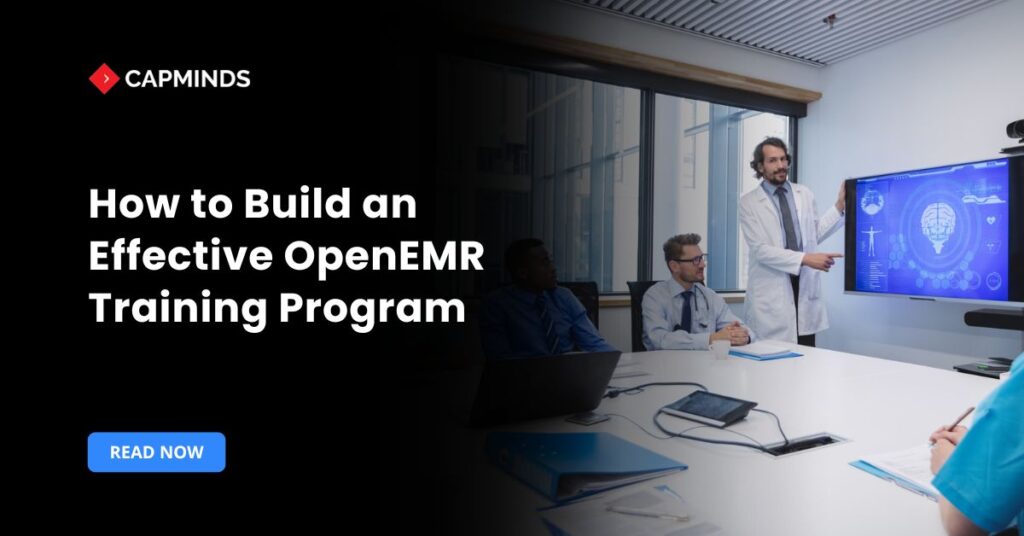
How to Build an Effective OpenEMR Training Program
With nearly all US hospitals now using certified EHRs and relying more on digital records, proper OpenEMR training is essential. A good program has clear objectives, acknowledges […]
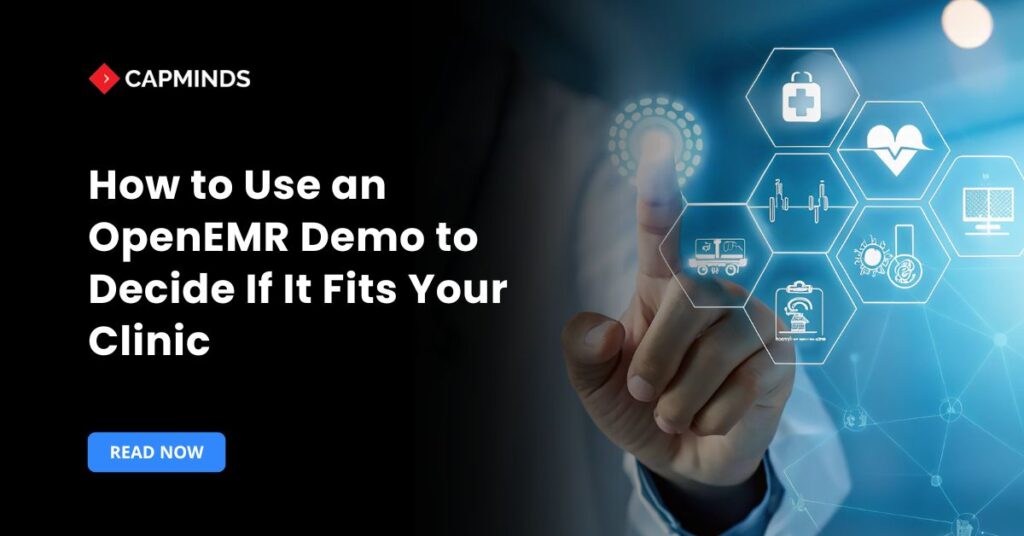
How to Use an OpenEMR Demo to Decide If It Fits Your Clinic
OpenEMR is a free, open-source EHR and PM system that has recently received ONC certification for ambulatory care. Its capabilities include patient scheduling, medical charting, billing, e-prescribing, […]
OpenEMR Architecture Roadmap for Mid-Sized Healthcare Organizations
OpenEMR is an open-source EHR/PM system that is ONC-certified and widely used. It offers a web/mobile interface and provides core activities such as patient records, scheduling, prescriptions, […]